Telegram
output.telegram Output v0.2.0 Works with the Telegram Bot API: send/edit/delete/pin messages, chat actions, media uploads (photo, document, audio, video, animation, sticker — from a URL/file_id or binary input), locations and media groups, chat management, callback/inline-query answers, and binary-safe file downloads. Leave the text blank on sendMessage to send the input payload as pretty-printed JSON.
Finding it in the library
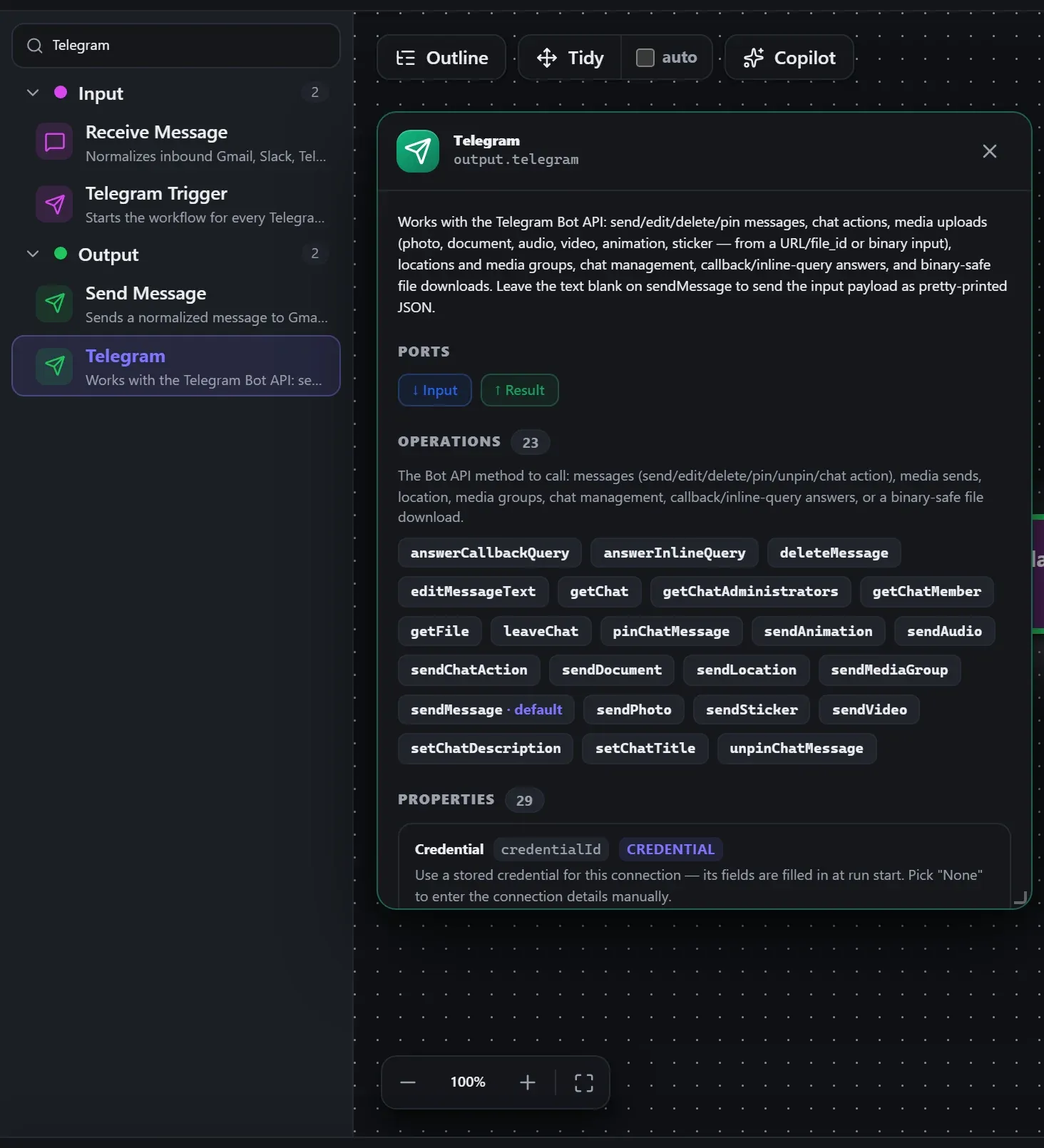
Search the builder's node library for Telegram (it lives under Output). A single click opens the in-editor docs panel shown here — description, ports, and every property, without leaving the canvas. Double-click (or drag) to add it to the workflow.
Wired up in the builder
Telegram in a real, runnable flow — captured live from the Studio editor, exactly as it looks on your canvas. This is the same workflow used for the example input & output below.

How it’s configured
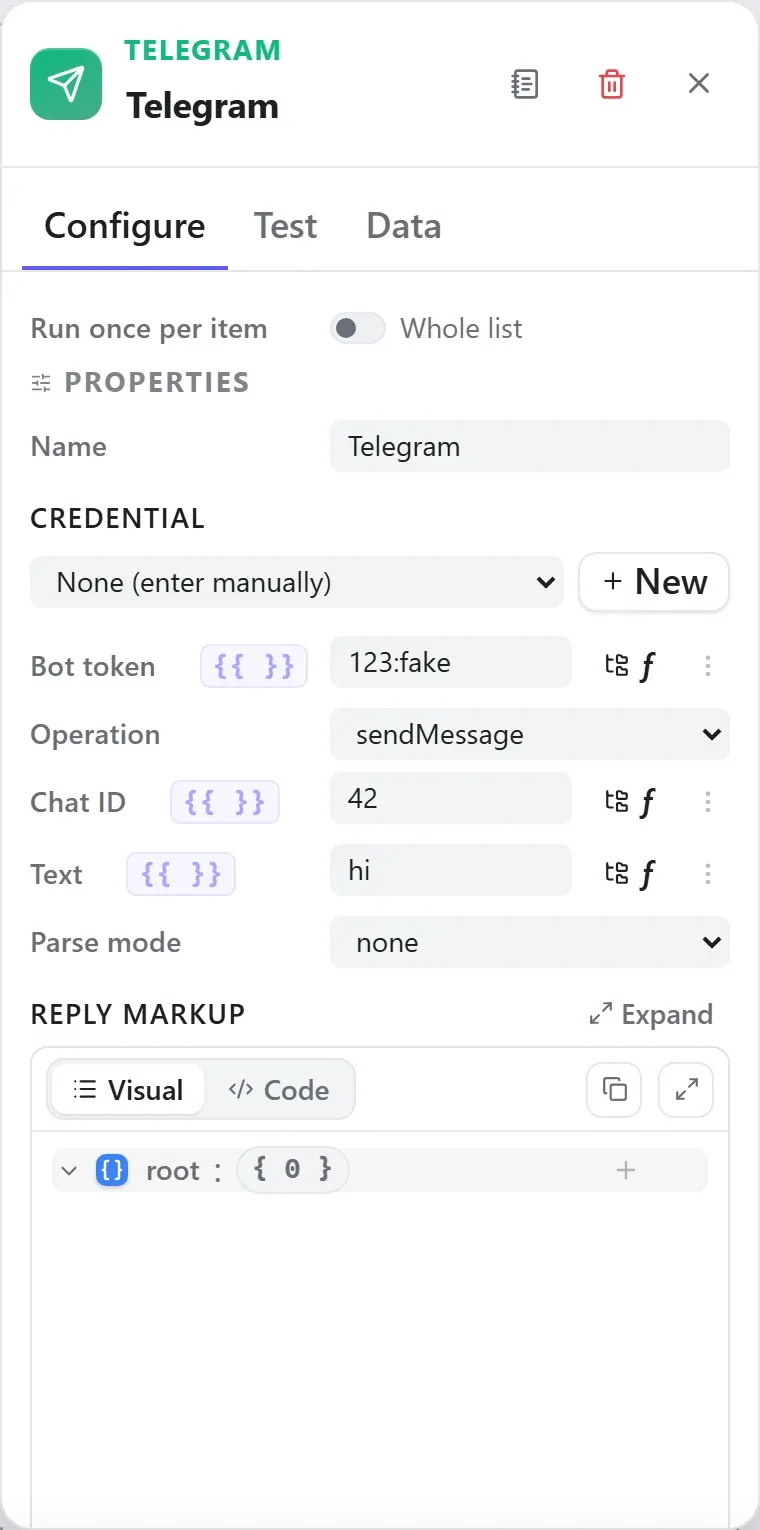
The node’s settings as the builder shows them — every field laid out with real values. In the Studio these are edited on the node: click the chevron on the divider under its ports to open them.
Ports
Ports are the node’s contract with its neighbours. In the editor a port label renders bold when wired and italic when optional; ◈ ports accept attachment carriers rather than data wires.
| Direction | Port | Label | What flows through it |
|---|---|---|---|
| Input | input | Input | |
| Output | output | Result |
How data flows through it
Telegram consumes the content of the incoming envelope — when it is fed directly by a trigger, the trigger’s wrapper is unwrapped at the node boundary so the node sees the actual data, not the metadata shell. Its output becomes the payload for the next node, while the envelope (trace ids, correlation, binary refs) rides along untouched. In the Runs view you always see the whole envelope for both sides of this node.
Expressions in the config
String-typed properties accept {{ }} expressions evaluated against the
incoming item at run time — e.g. {{ $json.customer.email }}. On this node
that’s token, chatId, text, replyToMessageId, messageId, media, fileName, caption, latitude, longitude, title, description, userId, callbackQueryId, inlineQueryId, fileId, baseUrl. JSON- and code-typed fields never interpolate — they are passed through literally.
Build it with AI
Every node in this reference is reachable through Flowdrome’s
AI Copilot and the
MCP tools — say what you want, and the graph surgery
happens server-side. Node types resolve fuzzily, so the catalog label
(Telegram) works as well as the exact type id (output.telegram).
In the Copilot panel (or any connected AI):
add a telegram node after the triggerAs a step in a create_chain_workflow call:
{"type":"Telegram","config":{}}Raw MCP call — add this node to a workflow with add_node
curl -s -X POST http://localhost:4800/mcp -H "content-type: application/json" -d '{ "jsonrpc": "2.0", "id": "1", "method": "tools/call", "params": { "name": "add_node", "arguments": { "workflowId": "<id>", "type": "Telegram" } } }'Example input & output
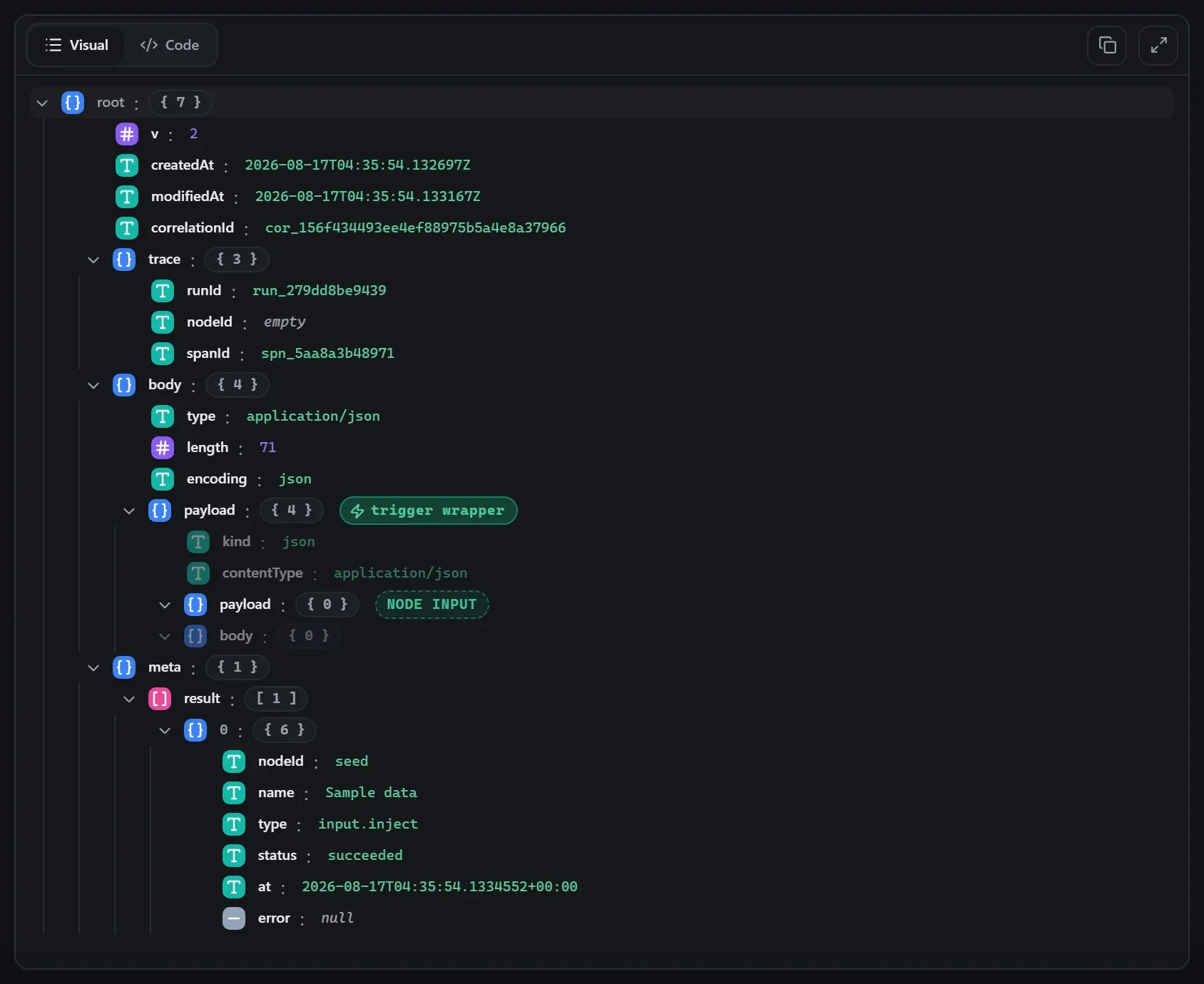
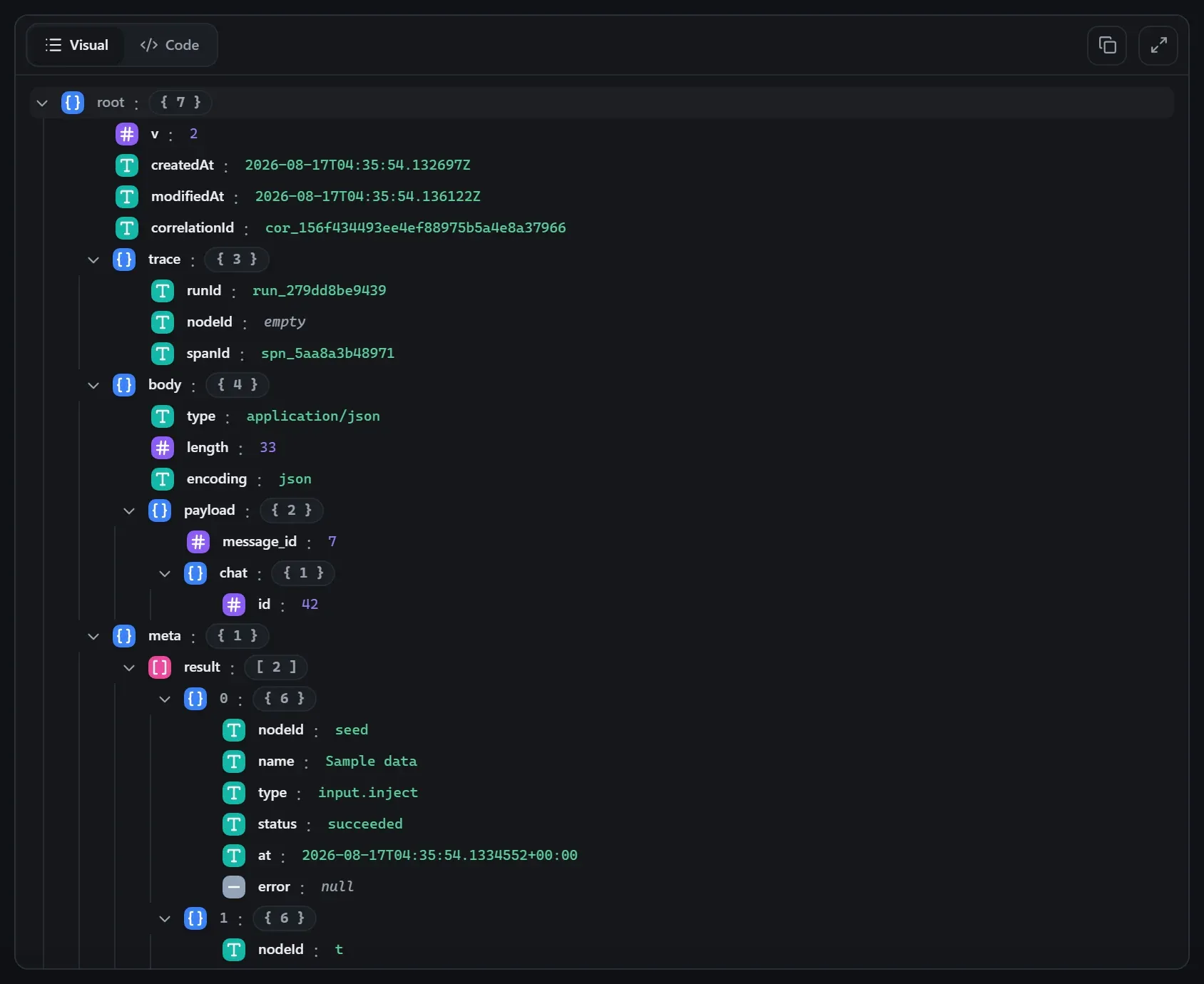
Captured from a real test run of the workflow above — this is what the Runs view shows after pressing Test workflow.
Input — what the node received
body.Output — what the node produced
Property reference
Every setting, with its type and default — the same fields shown configured above.
| Property | Type | Default | Description |
|---|---|---|---|
CredentialcredentialId | credential | "" | Use a stored credential for this connection — its fields are filled in at run start. Pick "None" to enter the connection details manually. accepts credential templates: telegram-bot |
Bot tokentoken | string | "" | Telegram bot token — use ${credential.telegram-bot.botToken}. Empty is allowed here; it must resolve by run time. |
Operationoperation | select | "sendMessage" | The Bot API method to call: messages (send/edit/delete/pin/unpin/chat action), media sends, location, media groups, chat management, callback/inline-query answers, or a binary-safe file download. answerCallbackQueryanswerInlineQuerydeleteMessageeditMessageTextgetChatgetChatAdministratorsgetChatMembergetFileleaveChatpinChatMessagesendAnimationsendAudiosendChatActionsendDocumentsendLocationsendMediaGroupsendMessagesendPhotosendStickersendVideosetChatDescriptionsetChatTitleunpinChatMessage |
Chat IDchatId | string | "" | Target chat/channel ID (or @channelusername). Shown when TG_CHAT_OPS.includes(tgOp(c)) |
Texttext | string | "" | Message text. On sendMessage, leave blank to send the input payload as pretty-printed JSON. On answerCallbackQuery, the (optional) toast/alert text. Shown when ["sendMessage", "editMessageText", "answerCallbackQuery"].includes(tgOp(c)) |
Parse modeparseMode | select | "none" | How Telegram renders the text or caption: plain, MarkdownV2, or HTML. HTMLMarkdownV2none Shown when ["sendMessage", "editMessageText", ...TG_CAPTION_OPS].includes(tgOp(c)) |
Reply markupreplyMarkup | json | null | Keyboard JSON: { "inline_keyboard": [[{ "text": "OK", "callback_data": "ok" }]] }, a reply keyboard, remove, or force-reply object. Leave null for none. Shown when ["sendMessage", "editMessageText", ...TG_MEDIA_OPS].includes(tgOp(c)) |
Reply to message IDreplyToMessageId | string | "" | Send as a reply to this message ID. Leave blank for a normal message. Shown when ["sendMessage", ...TG_MEDIA_OPS].includes(tgOp(c)) |
Disable link previewsdisableWebPagePreview | boolean | false | Suppress the link preview for URLs in the message. Shown when tgOp(c) === "sendMessage" |
SilentdisableNotification | boolean | false | Send (or pin) without a notification sound. Shown when ["sendMessage", ...TG_MEDIA_OPS, "sendLocation", "sendMediaGroup", "pinChatMessage"].includes(tgOp(c)) |
Message IDmessageId | string | "" | The message to edit/delete/pin/unpin (unpin: blank = the most recent pinned message). Shown when ["editMessageText", "deleteMessage", "pinChatMessage", "unpinChatMessage"].includes(tgOp(c)) |
Actionaction | select | "typing" | The chat action to broadcast (typing, upload_photo, …) — shows for ~5 seconds or until the next message. choose_stickerfind_locationrecord_videorecord_video_noterecord_voicetypingupload_documentupload_photoupload_videoupload_video_noteupload_voice Shown when tgOp(c) === "sendChatAction" |
Media (URL or file_id)media | string | "" | An HTTP(S) URL Telegram fetches, or a file_id already on Telegram's servers. Leave blank when uploading from the binary field below. Shown when TG_MEDIA_OPS.includes(tgOp(c)) |
Binary fieldbinaryField | field | "" | Dot-path to binary input to UPLOAD (a binary blob, base64 envelope, or { name, contentType, data } object) — uploaded as real multipart bytes. Takes precedence over the URL/file_id. Shown when TG_MEDIA_OPS.includes(tgOp(c)) |
File namefileName | string | "" | Override the upload's filename. Blank = the binary carrier's own name. Shown when TG_MEDIA_OPS.includes(tgOp(c)) |
Captioncaption | string | "" | Caption for the media (rendered per the parse mode). Stickers don't support captions. Shown when TG_CAPTION_OPS.includes(tgOp(c)) |
Latitudelatitude | string | "" | Latitude of the location. Shown when tgOp(c) === "sendLocation" |
Longitudelongitude | string | "" | Longitude of the location. Shown when tgOp(c) === "sendLocation" |
Media itemsmediaGroup | json | [] | JSON array of InputMedia descriptors, e.g. [{ "type": "photo", "media": "https://…", "caption": "One" }]. An item's media may also be a binary carrier — it is uploaded via attach://. Shown when tgOp(c) === "sendMediaGroup" |
Titletitle | string | "" | The new chat title. Shown when tgOp(c) === "setChatTitle" |
Descriptiondescription | string | "" | The new chat description (blank clears it). Shown when tgOp(c) === "setChatDescription" |
User IDuserId | string | "" | The user to look up in the chat. Shown when tgOp(c) === "getChatMember" |
Callback query IDcallbackQueryId | string | "" | The callback_query.id from the inline-keyboard update being answered. Shown when tgOp(c) === "answerCallbackQuery" |
Show alertshowAlert | boolean | false | Show the text as a modal alert instead of a toast. Shown when tgOp(c) === "answerCallbackQuery" |
Inline query IDinlineQueryId | string | "" | The inline_query.id from the update being answered. Shown when tgOp(c) === "answerInlineQuery" |
Resultsresults | json | [] | JSON array of InputQueryResult descriptors, e.g. [{ "type": "article", "id": "1", "title": "Hi", "input_message_content": { "message_text": "Hi" } }]. Shown when tgOp(c) === "answerInlineQuery" |
File IDfileId | string | "" | The file_id to download (from a message's photo/document/… entry). The bytes come back binary-safe: text stays text, small binary inline base64, large binary as a blob. Shown when tgOp(c) === "getFile" |
Base URLbaseUrl | string | "https://api.telegram.org" | Telegram API base URL (override for testing). |
Timeout (ms)timeoutMs | int | 15000 | Abort the request after this many milliseconds. |
Using it
Echo a message back, timestamped
The send half of the shipped Telegram Echo demo is three properties:
- Pick your bot credential in the node’s credential picker — the Token field then carries
${credential.telegram-bot.botToken}, a vault reference resolved at run start. - Chat id: a fixed id, or
${credential.telegram-bot.chatId}if you stored a default one with the credential. - Text takes
{{ }}expressions straight in the field:⏰ {{ $json.receivedAt }} — You said: {{ $json.message.text }}.
Reply to whoever messaged the bot
Pair with the Telegram Trigger and take the chat id from the update itself — set Chat id to
{{ $json.message.chat.id }} and Text to something like
Got it, {{ $json.message.from.first_name }}!.
Tips
- Blank text = JSON dump. Leave Text empty on
sendMessageand the node sends the input payload pretty-printed — a zero-config debug notifier. - Media from upstream binaries.
sendPhoto/sendDocument/… accept a URL, a Telegramfile_id, or binary data flowing in from a previous node (set Binary field). - Parse mode gotchas are Telegram’s.
MarkdownV2requires escaping characters like.and-; with plain interpolated user text,noneis the safe default. - Downloads are binary-safe. The
getFiledownload operation emits a real binary item that S3/Write File/Gmail consume as-is.
Related nodes
The rest of the Output group — the same folder you’d scan in the editor’s library.
This page is generated from the node registry by gen-node-docs.mjs on every
site build — ports, properties, defaults and visibility rules cannot drift from the code.
The screenshots and example data are captured from a live Flowdrome by
npm run shots:nodes and npm run gen:examples.
The hand-authored notes above are merged in.