AI in Flowdrome
The library’s AI category holds thirteen nodes — every one of them calls a model. The deterministic helpers a RAG pipeline also needs (Document Loader, Text Splitter, Output Parser, Guardrail) live under Processing, because they never touch a model — an “AI” label on a node means it wires to a model, nothing less.
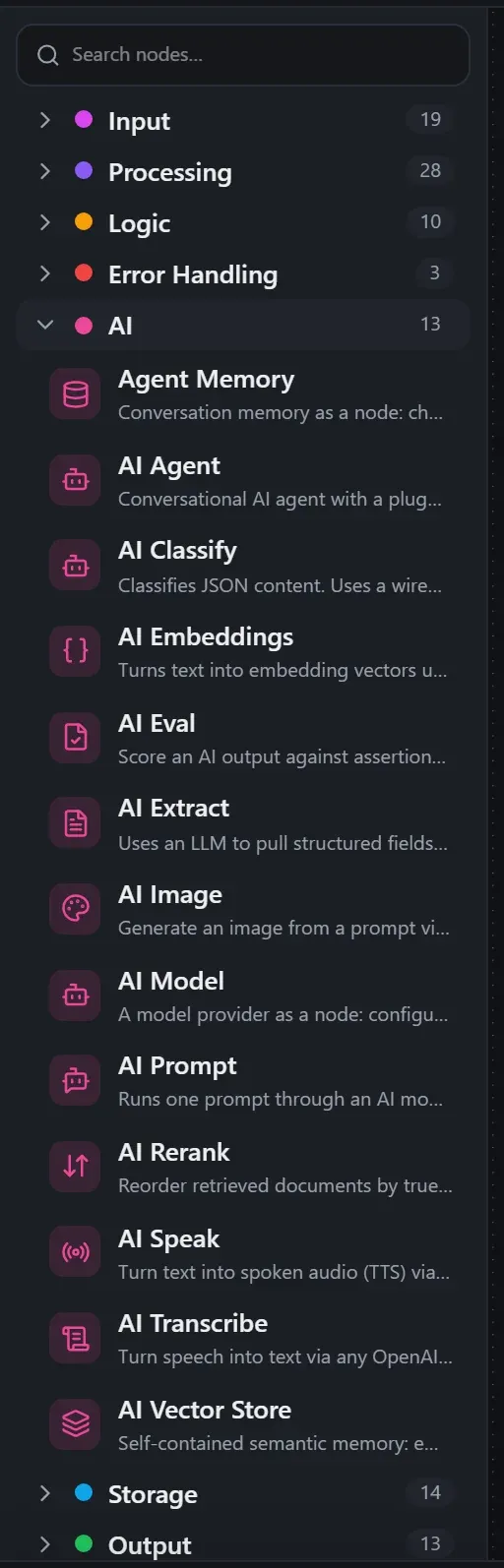
They divide into two kinds:
- Carriers — AI Model and Agent Memory.
They don’t process data; they carry configuration and wire into other nodes’ diamond
(
◈) ports. - Consumers — everything else: AI Agent, AI Prompt, AI Classify, AI Extract, the RAG set, the safety pair, and the multimodal trio.
Everything below was captured from real runs on a live Flowdrome.
Models are wired, not configured
The one rule that shapes every AI flow: a model is a node you wire in, never a setting you
bury in config. Each model-consuming node has a ◈ Model port on its underside; drop an
AI Model node, wire it in, and the connection carries provider, endpoint, model name,
temperature and token caps. The editor enforces this — a consumer without a wired model shows
a NO_MODEL_WIRED validation error before you ever run.
Why it’s a rule and not a preference:
- One model node can feed many consumers. Your whole workflow switches from a local Ollama to a cloud provider by editing one node — or by wiring in a different carrier.
- The wiring is visible. Which model each step uses is a line on the canvas, not a value three panels deep.
- Fallbacks ride along. The carrier’s optional
modelslist is an ordered fallback chain — on a 429/5xx/timeout, the next model answers.
The AI Model node speaks five provider dialects: ollama (local or self-hosted, native
API), openai (OpenAI itself), anthropic, ollama-cloud, and generic-url — the honest
choice for any OpenAI-compatible server you point at by URL (LM Studio, vLLM, LocalAI,
Kokoro, a Docker gateway). Keys come from the vault — pick a stored
credential on the carrier or type a ${credential.…} reference.
Local quickstart: Ollama
The zero-cost, zero-key path. Install Ollama, pull a model, done:
ollama pull qwen2.5:1.5b # small and quick — plenty for trying the nodesDrop an AI Model node, leave Provider on ollama (the base URL defaults to
http://localhost:11434, no key), set Model to qwen2.5:1.5b, and wire it into whatever
needs a brain. Nothing leaves your machine — the runs in this guide used exactly this setup.
AI Prompt — one-shot completions
AI Prompt is the workhorse for “summarize this”, “extract that”, “draft a reply”. Pick where the
prompt comes from — a field on the input (Prompt mode = field) or a {{ }} template
(Prompt mode = template), with the same expression semantics as every other node:
Summarize this support message in one sentence: {{ $json.body.message }}The output is flat and immediately usable downstream: reply, the finish reason, and token
usage — so the next node just reads {{ $json.reply }}. Beyond the basics it carries:
- JSON mode — ask the model for a JSON object, parsed into
replyJsonfor you. For free-form models, the Output Parser downstream turns raw text into schema-validated JSON (fence-stripping, first-object extraction, one automatic fix-it retry). - Vision — point Image field at an image URL or data-URL on the input and the prompt becomes multimodal.
- Caching — identical requests can reuse the reply for a configurable TTL.
- Budgets — see spending limits below.
AI Agent — the real thing
The Agent node runs a complete agentic loop inside one step: recall the conversation from memory, send the message with the persona and rules, let the model call tools for up to Max iterations rounds, then emit the answer plus the full tool-call trace.
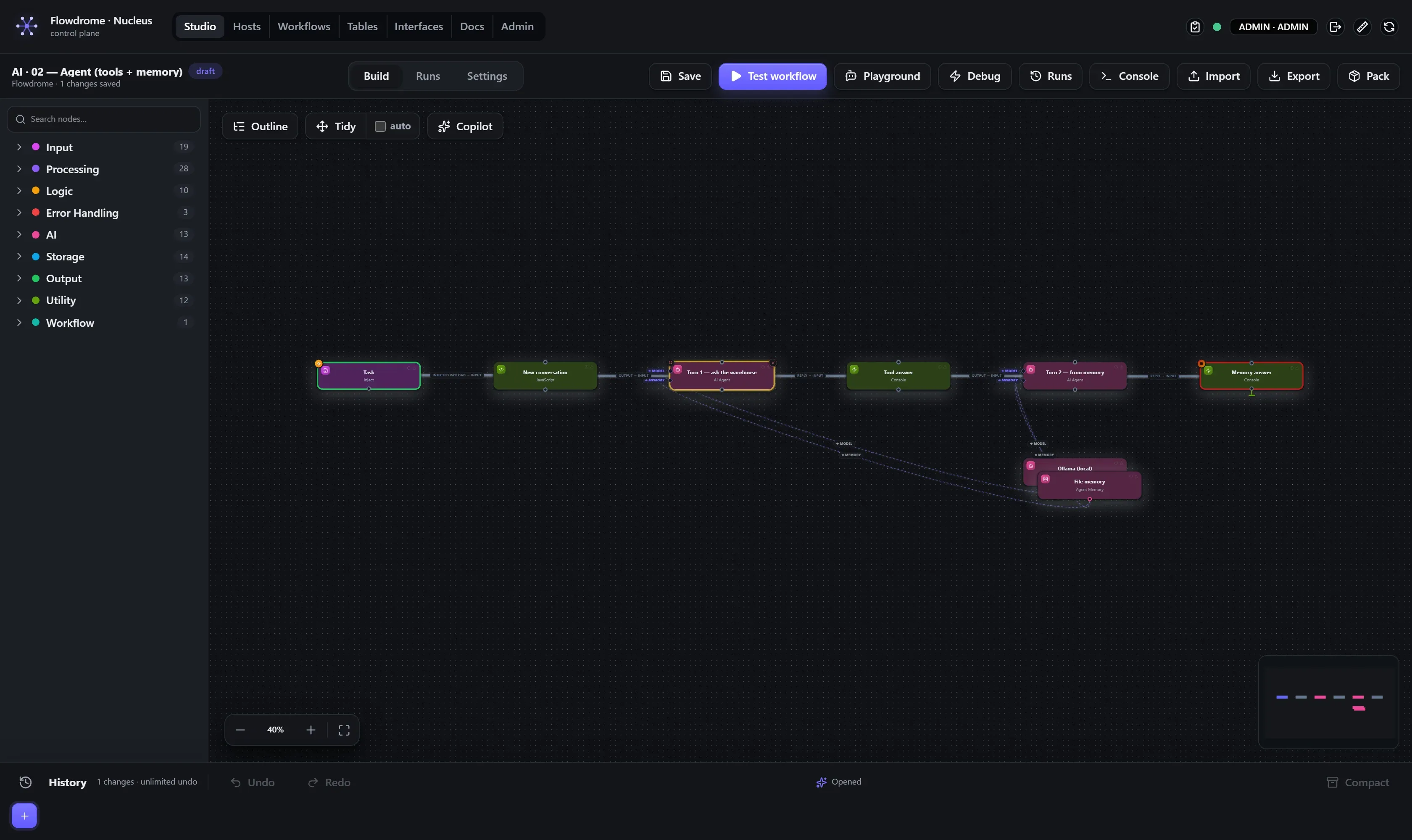
The shipped agent demo is the shape to copy — an Inject feeding the agent, with both carriers
wired: an AI Model into ◈ Model and an Agent Memory into ◈ Memory:
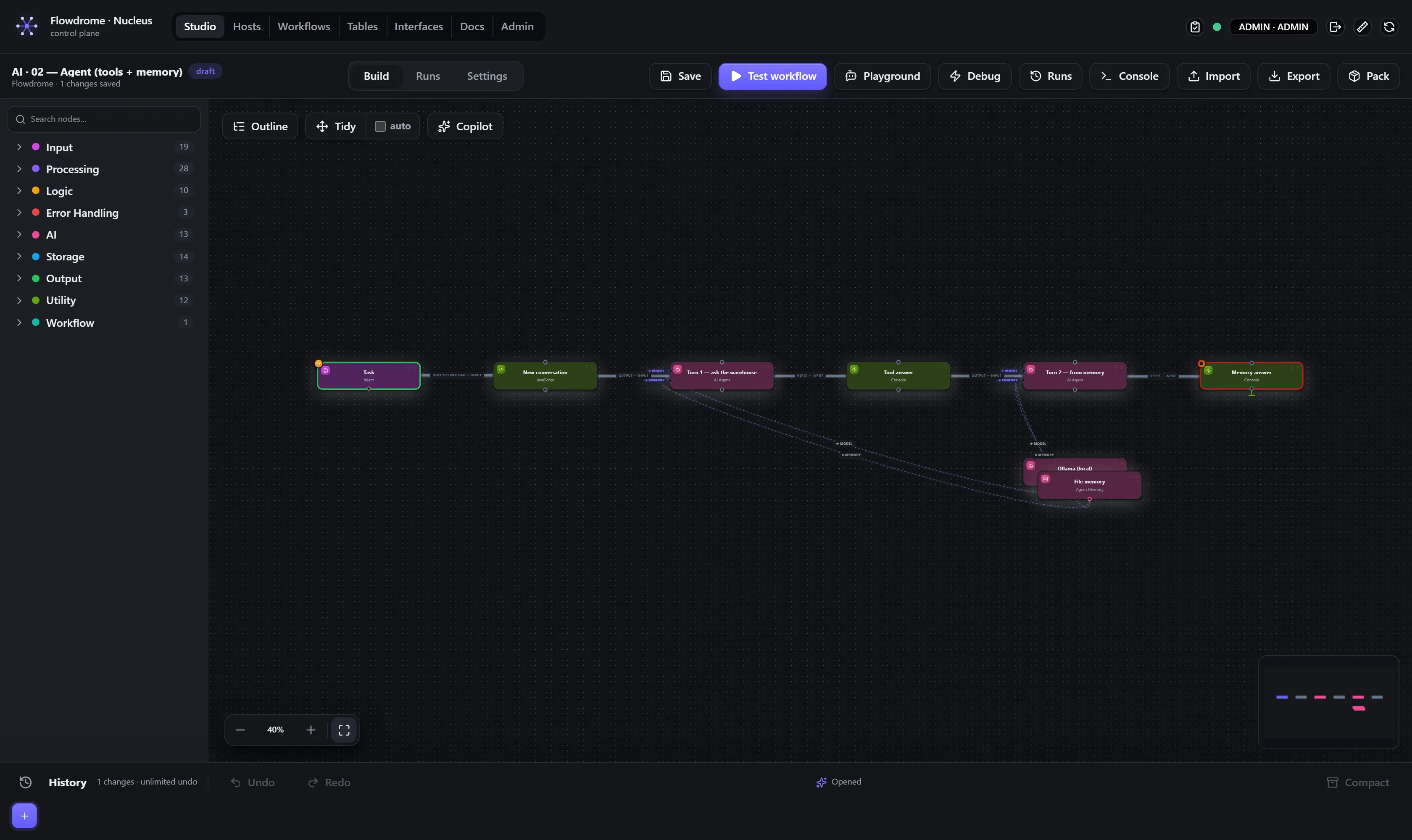
Memory is a carrier too: the Agent Memory node picks where
conversation history lives and wires into the agent’s ◈ Memory port (the agent also accepts
inline memory settings when you don’t need to share them):
| Backend | Lives | Use when |
|---|---|---|
state | the host’s durable store | production — survives restarts |
file | a JSONL file per session | easy to inspect and back up |
inmemory | the process | tests and demos |
vector | embedded semantic memory | recall by meaning, not recency |
Session key is a template that decides which conversation a run belongs to:
{{ input.sessionId }} gives every customer their own thread; the same key recalls the same
memory, up to History limit turns.
Tools are what make it an agent. Four kinds, mixable in one list:
- Function tools —
{ type: "function", name, description, parameters, code }: a small inline JavaScript function. - Node tools —
{ type: "node", nodeType, config, … }: hand the agent any Flowdrome node — SQL, Google Sheets, HTTP Request — as a callable tool. - Workflows as tools —
{ type: "workflow", … }: the agent invokes one of your stored workflows with a JSON-Schema of its parameters. Your existing automation becomes the agent’s hands — and since an agent can live inside a workflow, a supervisor agent can call a specialist agent as a tool. That’s multi-agent, drawn as wires. - MCP tools —
{ type: "mcp", url }for a streamable-HTTP Model Context Protocol server (addbearerfor auth), or{ type: "mcp", command, args }to spawn a local stdio server — either way, every tool the server exposes becomes callable. Point it at your own Nucleus’s/mcpand the agent can build workflows — that’s exactly how the AI Copilot works.
Mark a tool with sideEffect: "write" when it acts on the outside world (node tools with an
output.* node type default to write) — which powers the next feature.
Human-in-the-loop tool approval
The agent’s approval property gates its tool calls: off runs fully autonomous, write
parks side-effecting tools for a human decision, all parks everything. A parked call surfaces
like any other approval gate — decide it, and the loop continues.
Approval timeout bounds the wait. An agent that researches freely but needs sign-off before
it writes is one dropdown.
Talk to it before you deploy it
The Studio toolbar’s Playground button opens an in-editor chat with the workflow you’re
building: each turn is a real test run (the same { message, sessionId } shape the Web Chat
trigger produces), the reply comes back as a bubble with tool-call and guardrail chips, and the
canvas lights up with the executed path. Session id persists across turns, so agent memory
works — build the agent, then interview it.
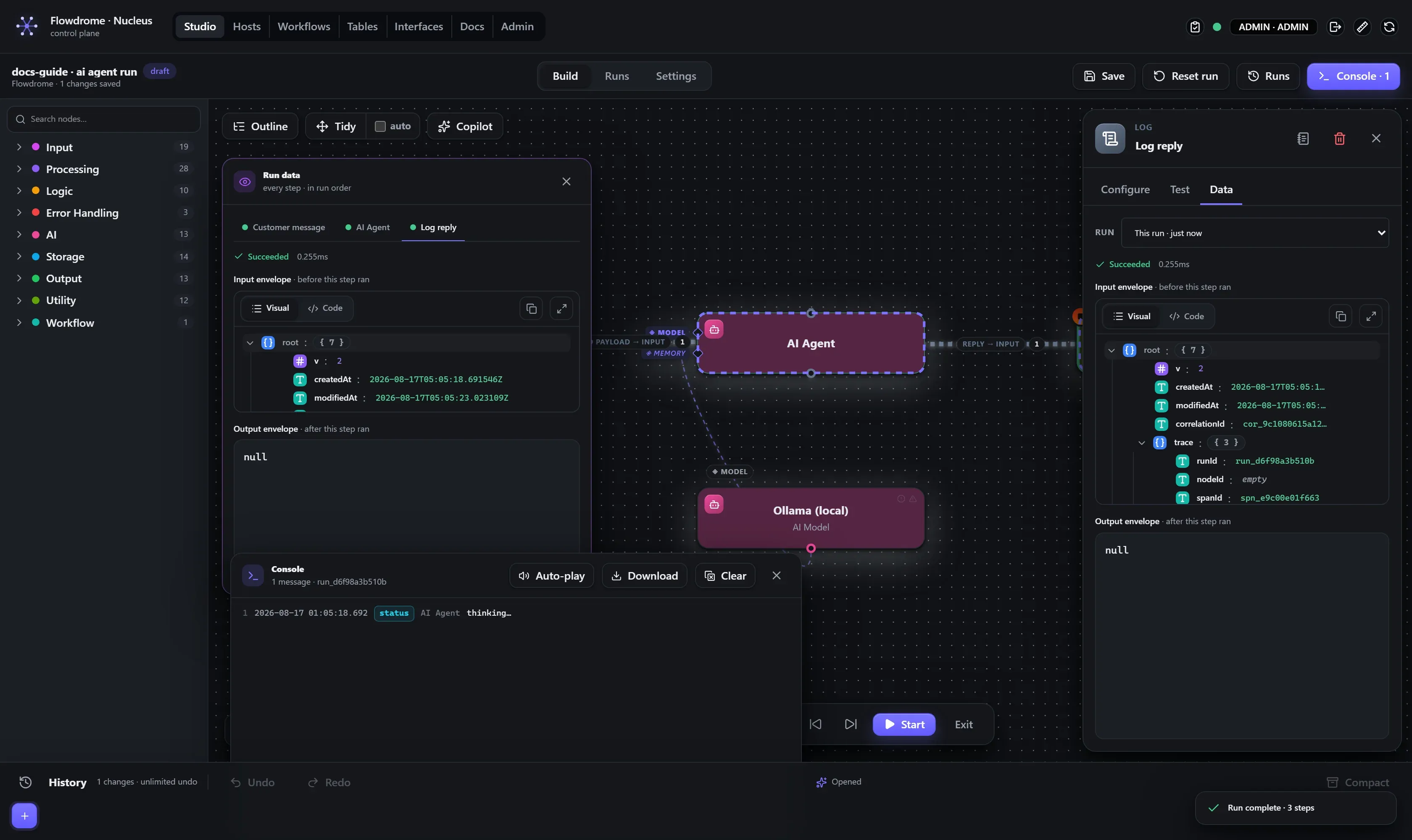
A real run
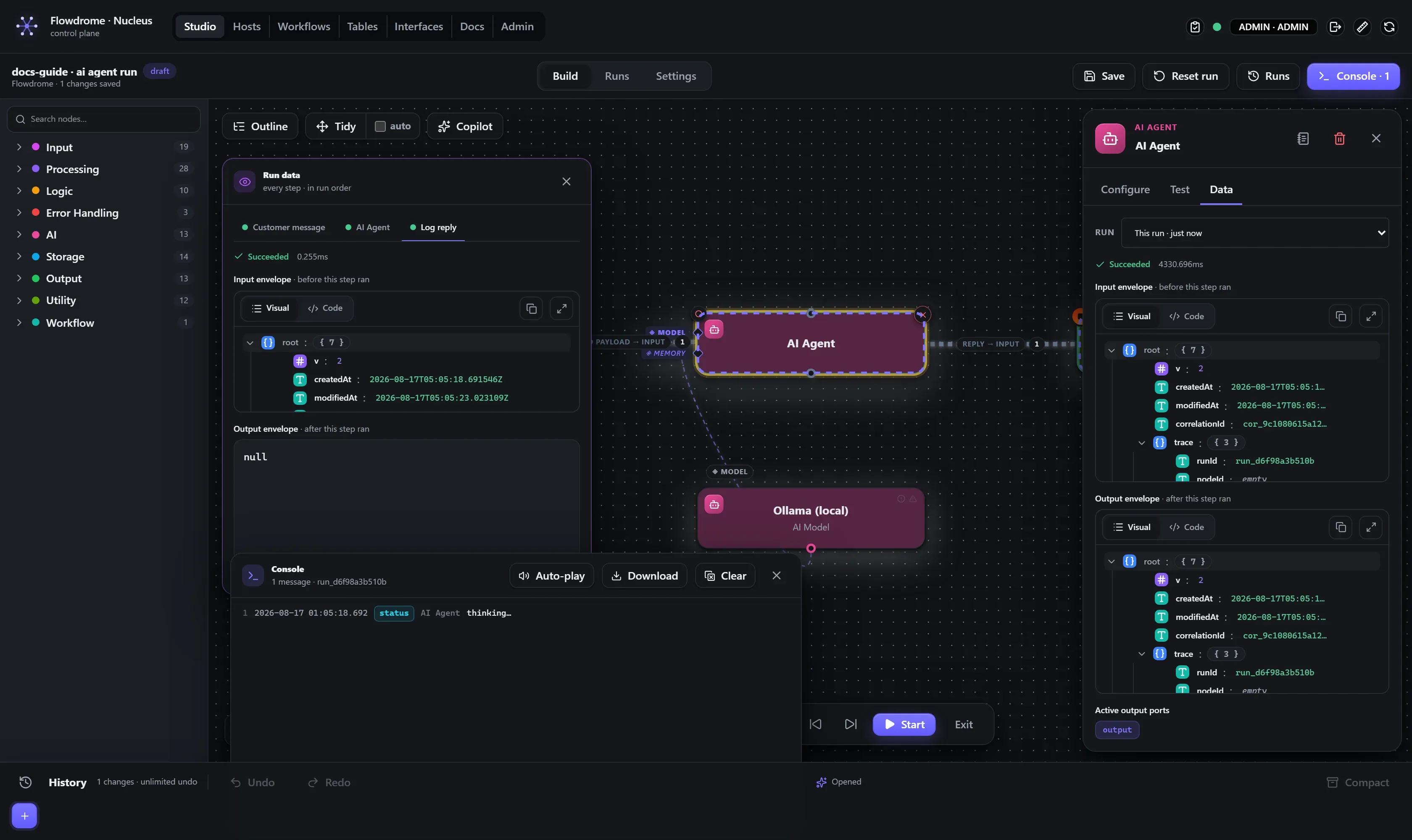
Budgets — spending limits
The model-calling nodes accept budgetUsd and budgetTokens: once a run’s cumulative AI
spend (or total tokens) crosses the limit, the run halts with BUDGET_EXCEEDED — a first-class
failure your error handling can catch. A runaway agent loop
becomes a handled branch, not a surprise invoice.
RAG — retrieval-augmented generation
Five nodes form the pipeline, all self-contained (no external vector database required). The first two are deterministic data-prep and live under Processing (no model), the rest are AI nodes:
- Document Loader (Processing) — the on-ramp: fetch a web page or document, or take text off the wire.
- Text Splitter (Processing) — overlapping chunks by characters, paragraphs or sentences.
- AI Embeddings — text → vectors, via Ollama
(
nomic-embed-text) or any OpenAI-compatible endpoint. - AI Vector Store — embedded semantic memory:
insertembeds and stores,queryretrieves by cosine similarity, with optional hybrid retrieval (blend keyword overlap into the score withkeywordWeight). Named stores are isolated collections, shared workspace-wide; an external HTTP vector service is a backend option when you outgrow it. - AI Rerank — the quality layer between retrieval and the prompt: reorder the retrieved chunks by true relevance to the query before the model sees them.
Ingest once (loader → splitter → store), then answer forever (question → query → rerank → prompt). The seedable AI demo folder ships this as two workflows — RAG 1: load, split, store and RAG 2: retrieve & answer.
Guardrail and Eval — the safety pair
- Guardrail (a Processing node — deterministic, no model) checks inputs and outputs: PII detection (emails, phones, Luhn-valid card numbers, SSNs, IPs), a prompt-injection heuristic, length limits — with redaction that actually redacts (the original values never re-leak downstream). Put one in front of a model to keep secrets out, and one after to keep leaks in.
- AI Eval scores an AI output against assertions — exact, contains,
regex, JSON-schema, and LLM-judge (a rubric judged by a model, which also needs a wired
◈ Model). Route the fail port to a retry or a human and you have a quality gate, drawn.
Multimodal — speech and pictures
- AI Transcribe — speech → text via any OpenAI-compatible
/audio/transcriptionsendpoint (Whisper, or a local faster-whisper server). Reads binary audio right off the wire. - AI Speak — text → speech via any
/audio/speechendpoint. The voice is whatever string your endpoint offers (Kokoro’saf_heart, mixes, OpenAI voices) — no artificial enum. The audio leaves as first-class binary. - AI Image — prompt → picture via
/images/generations(gpt-image-1, DALL·E, or a local Stable Diffusion gateway).
Pair them with the Console renderers — Show Image displays a generated picture inline in the run’s Console, Play Audio plays speech as it’s produced — and with the Web Chat trigger for a voice-capable chat widget on your own site. All of these are wired multimodal demos in the AI demo folder.
Prompts as variables
Long prompts don’t belong pasted into node fields. Store them as
variables of type prompt — a proper multi-line authoring surface —
and reference them as ${variable.SUPPORT_PERSONA} in the agent’s system field. Edit the
prompt once in Admin; every workflow picks it up on its next run.
Practical advice
- Start small, locally.
qwen2.5:1.5bproves the wiring in seconds, free. Swap the model string on the carrier when you need quality. - Temperature 0 for operational agents — deterministic beats creative when tools are involved. Set it once on the model carrier.
- Validate before you trust. Downstream of model output, an
Output Parser (a Processing node — no model) (or a
Validate JSON Schema with a routed
invalidport) turns a model’s bad day into a handled branch instead of a failed run. - Keys live in credentials. If a workflow ever shows a literal API key, stop and move it to the vault.
- Open the demos.
npm run seed:allseeds the AI demo folder — fifteen small workflows, one per capability (chat, agent, classify, extract, guardrail, RAG ×2, rerank, embeddings, output parsing, eval, speak, transcribe, voice chat, image) — each runnable against the local stack above.