Interfaces
A workflow is only half the product — someone still has to use it. Interfaces is Flowdrome’s
page builder: compose hosted, themed, multi-page sites out of blocks — forms that start
workflows, buttons, live (even editable) table grids, stat tiles, chat — served by the Nucleus at
/if/your-slug. Visitors need no account and see nothing of the builder.
New here? The Build a form tutorial walks the whole thing end
to end — table, workflow, page, publish — and npm run seed:interface-demos installs three
finished business examples (support portal, job applications, a key-gated event RSVP) to poke at.
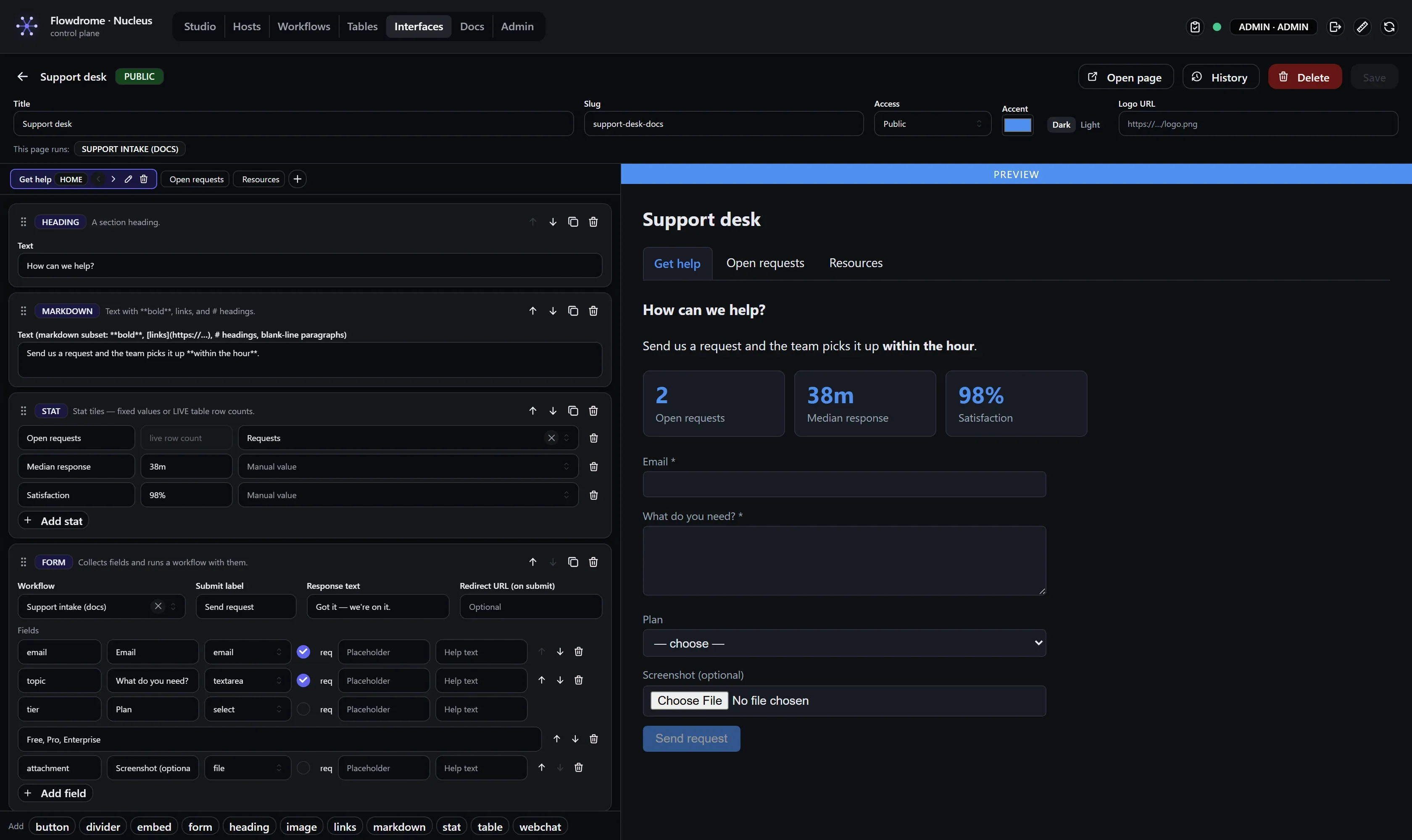
The builder
Everything is edited in a split-pane: left — pages and their ordered blocks, each with inline per-kind config, drag (or arrow-key) reorder, duplicate, delete; right — the live preview. Multi-page sites get a navigation bar automatically; the first page is home. Theming is three controls: accent color, light/dark, logo.
Blocks
| Block | What it renders |
|---|---|
| Heading / Markdown | text — **bold**, [links](https://…), # headings |
| Image / Divider / Embed | media, separators, sandboxed iframes |
| Links | link cards with descriptions |
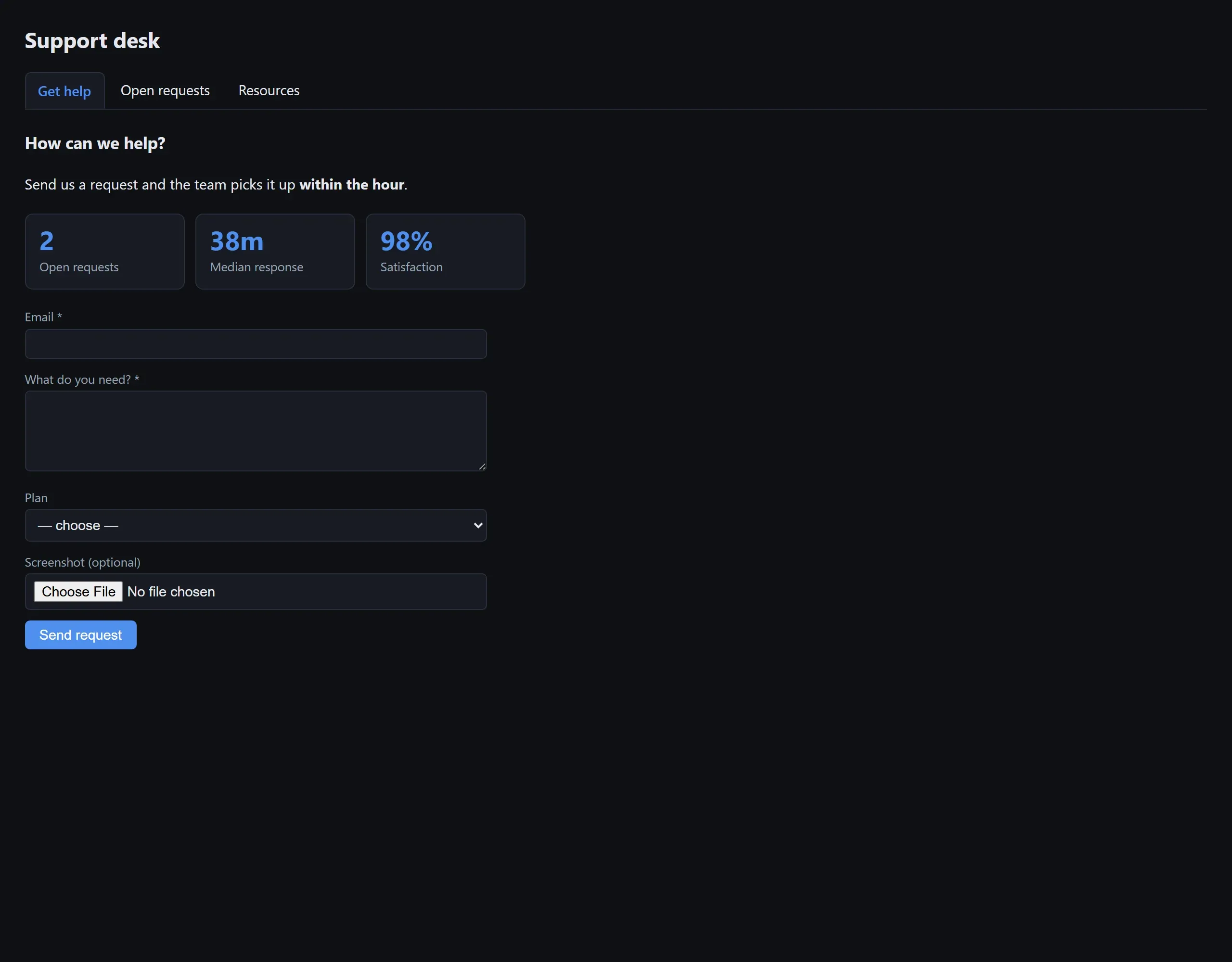
| Stat | stat tiles — fixed values or live table row counts |
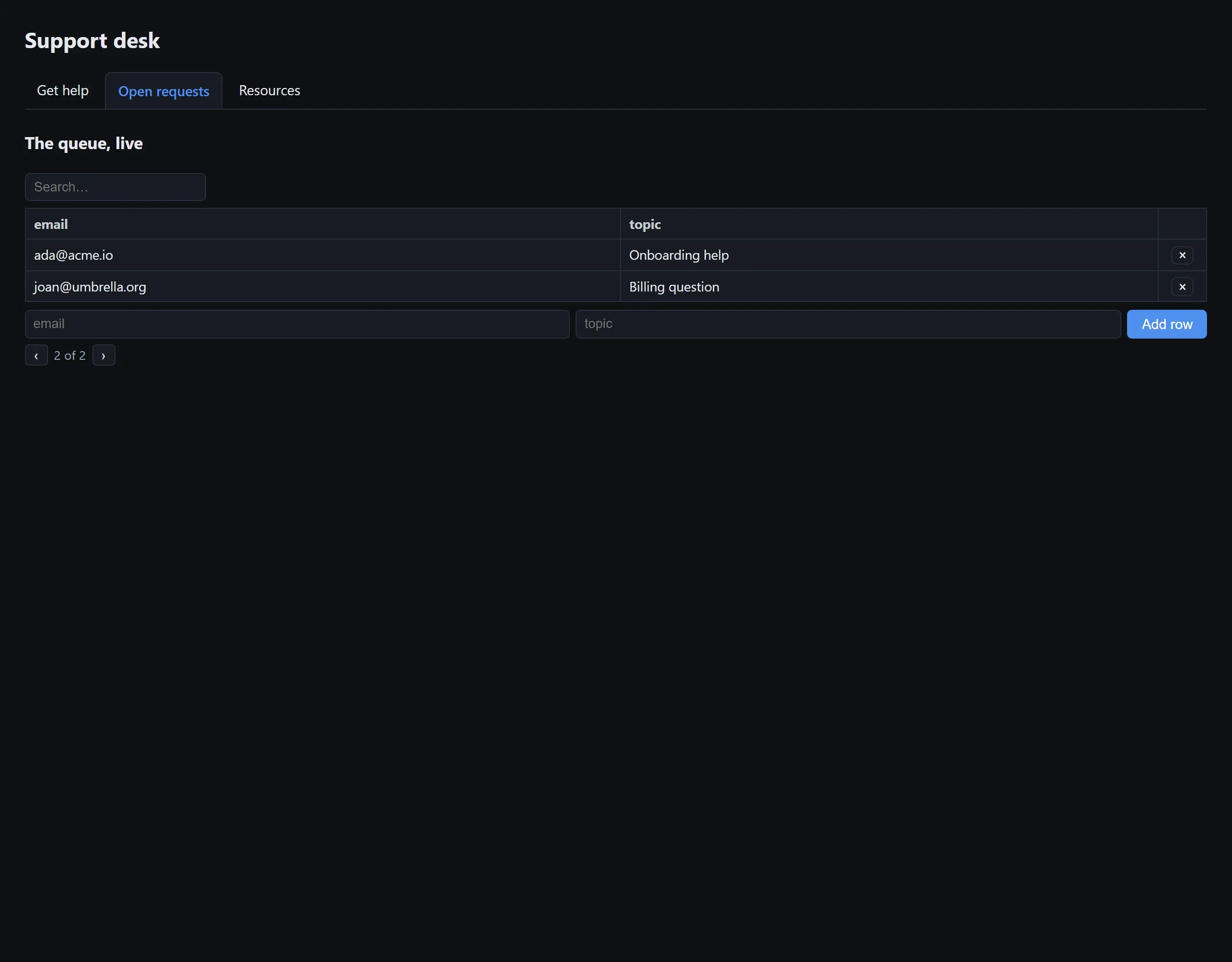
| Table | a live grid over a Table: paging, optional search, and — in editable mode — visitors can add rows, edit cells inline, and delete |
| Button | runs a workflow with a fixed payload (primary / default / danger styles) |
| Form | typed fields → runs a workflow with them: text, email, number, date, textarea, select, checkbox, and file upload (arrives in the run input as {filename, contentType, data}); optional redirect-on-submit |
| Web chat | embeds a deployed web-chat endpoint |
Access
- Public — anyone with the URL.
- Link with key — the URL only works with its
?k=…key; Rotate key kills every shared link on the spot. - Password — visitors get an on-brand password page; the password is stored as a PBKDF2 hash and success mints an HttpOnly session cookie. Logged-in Flowdrome users always pass.
Version history
An interface’s content is versioned exactly like a workflow. Every content change — retitle, retheme, change access, add or remove a page or block, rewire which workflow a form/button runs — mints a new version. The history drawer carries the same teeth as tables and workflows:
- Labels — name a version inline (“launch”, “added RSVP page”).
- Pins — exempt a version from pruning.
- Compare — a page-aware diff: which pages were added, removed, or changed, plus title, slug, and access changes. A slug change (it moves the public URL) is flagged breaking.
- Restore — re-applies an old version as a new version.
GET   /api/interfaces/{id}/versions            [{version,savedAt,savedBy,label,pinned}] (newest first)
GET   /api/interfaces/{id}/versions/{v}        the content at v: {slug,title,access,pages,theme}
PATCH /api/interfaces/{id}/versions/{v}        annotate {label?,pinned?}
POST  /api/interfaces/{id}/versions/{v}/restore  re-apply v as a new version
Where used
An interface runs workflows (from its buttons and forms) and is itself carried by deployments. Two views tie it together:
- Dependencies — the workflows this interface runs, each flagged
presentso a missing one surfaces before you publish. The reverse link lives on the workflow: Workflow → Interfaces lists every page that calls it. - Usage — the deployments serving this interface, each with the host, the workflow, the
frozen content version, and a
staleflag when the live interface has moved on. Editing a published interface mints a new version, but active deployments keep serving their pinned copy until redeployed (see deploy carries a frozen copy).
GET   /api/interfaces/{id}/dependencies   {interfaceId,workflows:[{id,name,present}],missing:[…]}
GET   /api/interfaces/{id}/usage          {interfaceId,version,deployments:[{hostId,workflowId,version,deployedAt,stale}]}
GET   /api/workflows/{id}/interfaces      [{id,title,slug,version}] — pages that call the workflow
Versus Zapier Interfaces
Same builder ergonomics — live preview, multi-page, theming, forms, tables, gated access — but
the data grid is your database (editable, live counts, no row limits), forms upload files
straight into workflow input, every run has full observability behind it, access gates aren’t a
pricing tier, and it is all self-hosted. The regression suite (npm run test:interfaces, 83
checks) exercises every feature above against a live nucleus.
v2.1
Per-user visitor identity via SSO, conditional field visibility, custom domains, and chatbot packaging presets.