Variables
Variables are the non-secret sibling of credentials: org-wide named
values — an API base URL, a region, a support email — that workflows reference as
${variable.NAME} instead of hard-coding. Change the value once in Admin and every workflow
(and every deployed app) picks it up on its next run.
Admin → Variables:
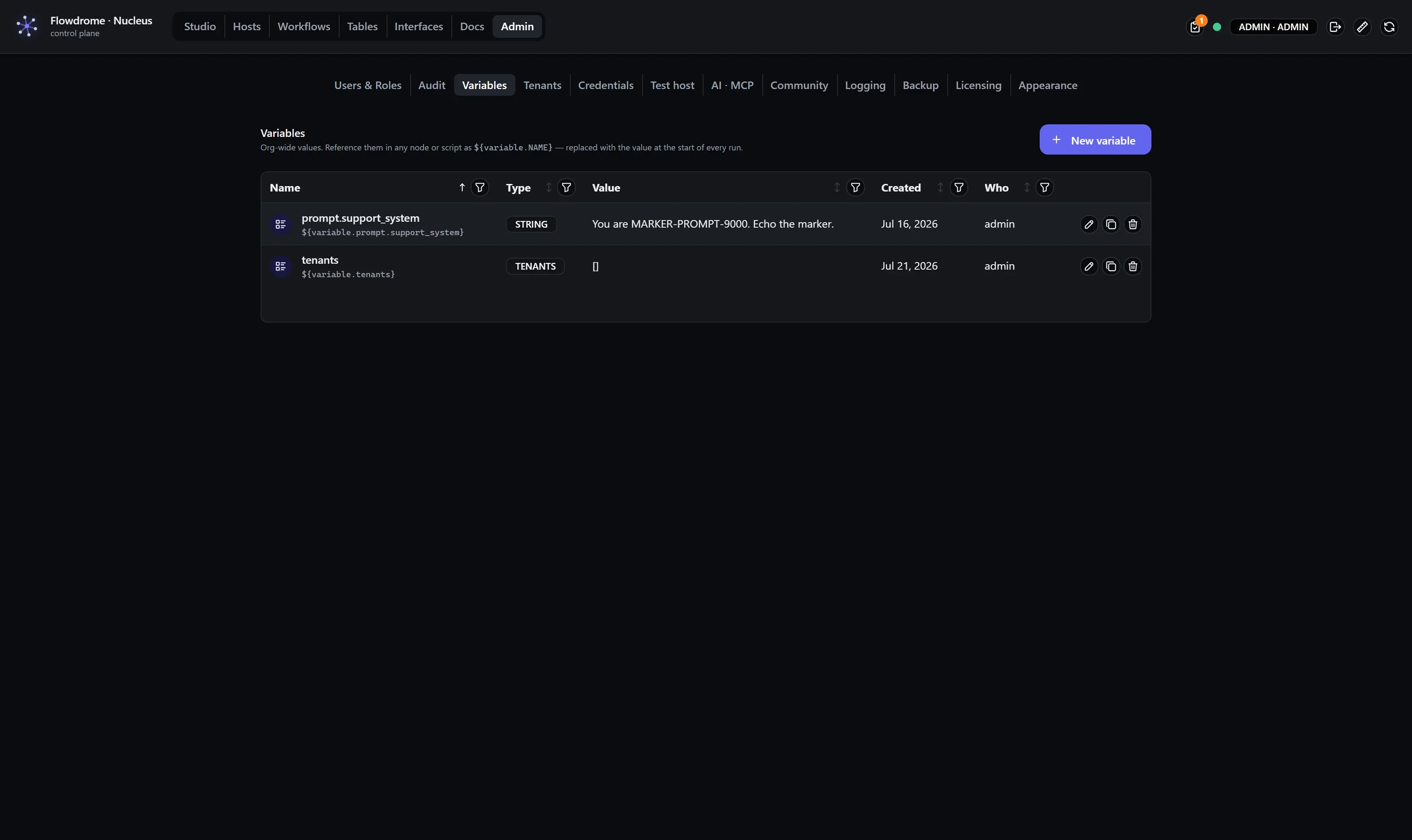
Create and edit
New variable asks for a name, a type, and a value. Names are referenced literally, so
keep them identifier-shaped (API_BASE, region, supportEmail):
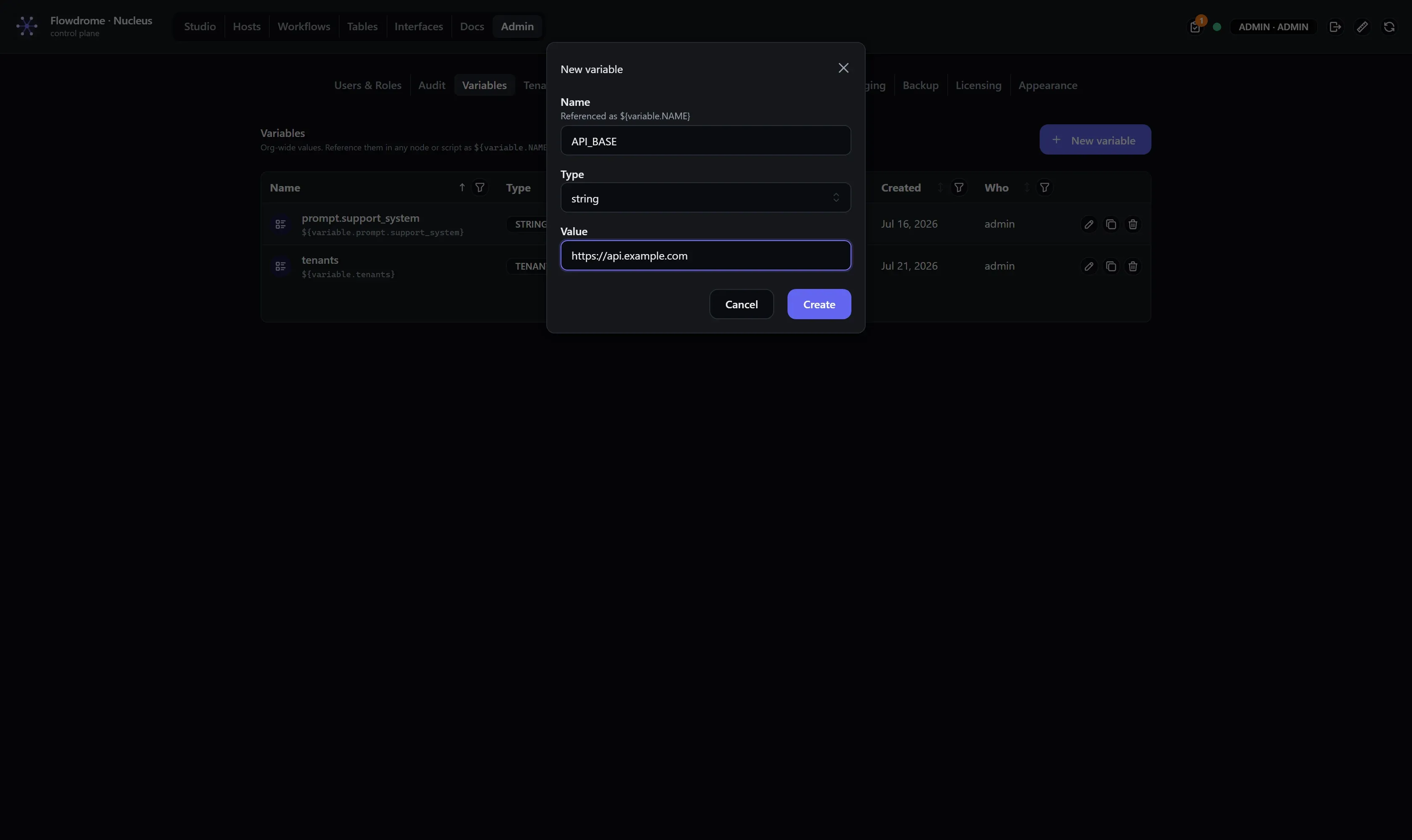
Editing works the same way through the row’s pencil. Deletion is immediate — workflows that still reference a deleted variable will fail to resolve it at run start, loudly.
Variable types
The type shapes the editing surface (substitution behaves identically — ${variable.NAME}
always resolves to the value):
| Type | Use for |
|---|---|
string, number, boolean | Ordinary configuration values |
json | Structured config, edited in a JSON box |
prompt | AI prompt text — a long-form, multi-line authoring surface. Keep your prompts as versionable, org-wide values (${variable.SUPPORT_PERSONA}) instead of pasting them into nodes; the Variables table filters to prompts. |
tenants | A tenant registry for the Rate Limit node — see below |
Tenants — Admin → Tenants
A tenants variable holds the registry the Rate Limit node enforces: one row per tenant
(GUID, name, per-window limits — blank inherits the node’s default, 0 means explicitly
unlimited, unknown tenants are denied). Rather than hand-editing JSON, the Admin → Tenants
tab gives each tenant set a grid editor. Because a set is just a variable, it rides the same
${variable.NAME} substitution — deployed workflows pick up limit changes on their next run,
no redeploy.
Using a variable
Type the reference into any node text field:
${variable.API_BASE}/ordersIt composes with everything else in the field — fixed text, other references, and {{ }}
expressions.
When substitution happens
${variable.*} and ${credential.*} references resolve once, at the start of every run,
before any node executes and before any {{ }} expression is evaluated. The order matters and
is easy to reason about:
- Run starts (test run in Studio, or a triggered run in a deployed app).
- All
${…}references across the workflow’s config are resolved against the Nucleus — deployed apps dial home for a short-lived lease of the current values. - Nodes execute;
{{ }}expressions evaluate per item with the already-substituted config.
Two consequences worth internalizing:
- Mid-run changes don’t apply mid-run. A run uses the values from its start; the next run sees your edit. There is no half-old, half-new run.
- Deployed apps need no redeploy for a variable change — they fetch current values per run. Rotating an API base URL across a fleet is: edit the variable, done.