Build a Telegram bot
The end state: a bot that answers every message with a timestamped echo, served by one of your hosts. This is the full version of the first workflow, including the Telegram side.
1. Create the bot with BotFather
- In Telegram, open a chat with @BotFather.
- Send
/newbot, pick a display name, then a username ending inbot. - BotFather replies with the bot token (
123456789:AA…). Treat it like a password. - Optional but useful:
/setdescription,/setuserpic.
To send yourself messages you’ll also want your chat id: message your new bot once, then
visit https://api.telegram.org/bot<TOKEN>/getUpdates — the message.chat.id field is it.
2. Store the credential
In the Nucleus: Admin → Credentials → New, template Telegram bot. Fill in botToken
(and chatId if you want a default). The token is encrypted at rest; node configs will carry
${credential.telegram-bot.botToken} — a reference, not the value.
3. The workflow
Three nodes, wired left to right — this is the demo Flowdrome ships, on the canvas:
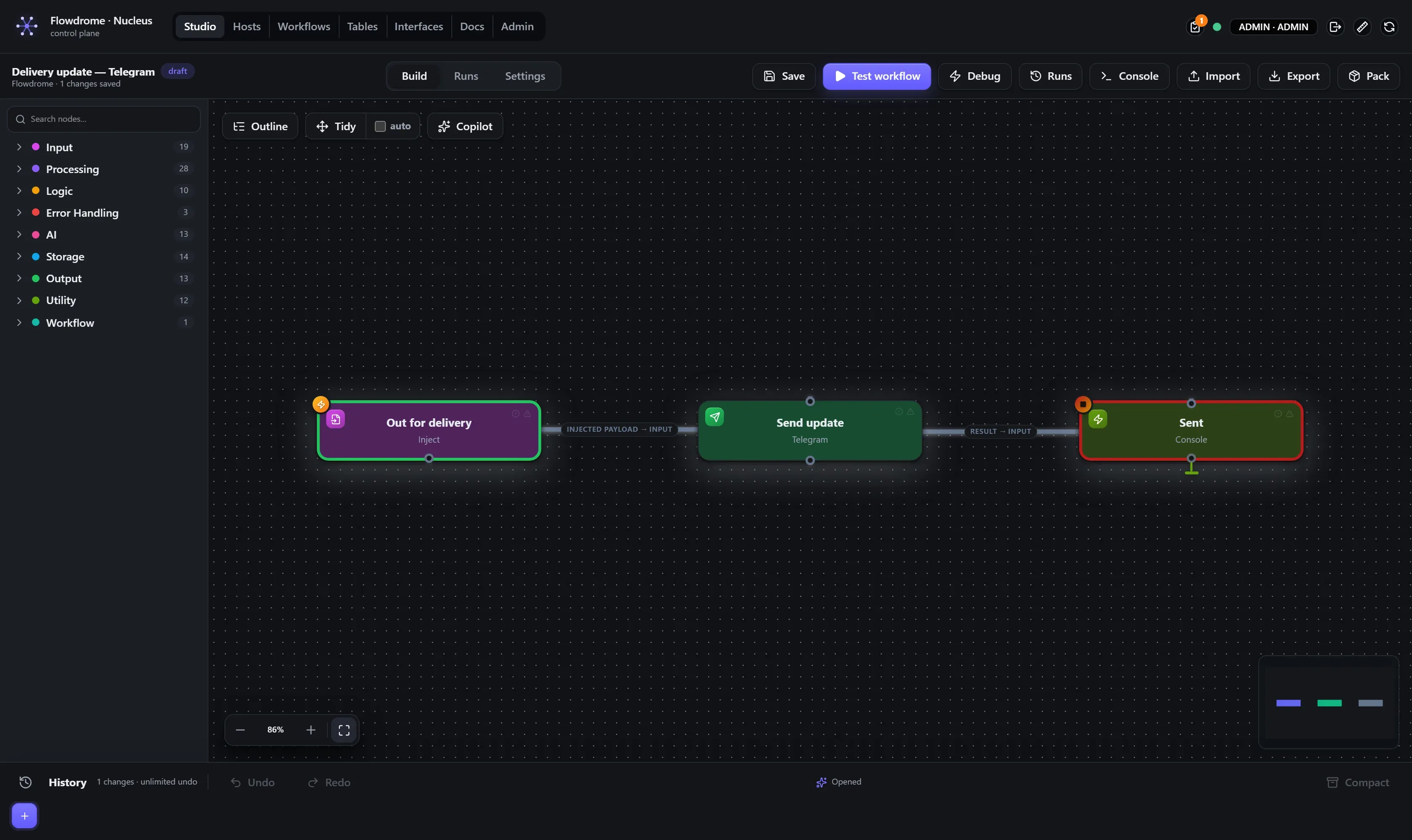
Build it in three steps:
- Bot updates — drop a Telegram Trigger from the library’s Input folder. In its
properties, pick the
telegram-botcredential (the token field becomes a vault reference) and leave Mode on polling — long-polling needs no public URL. Webhook mode is there when you have a reachable HTTPS endpoint.
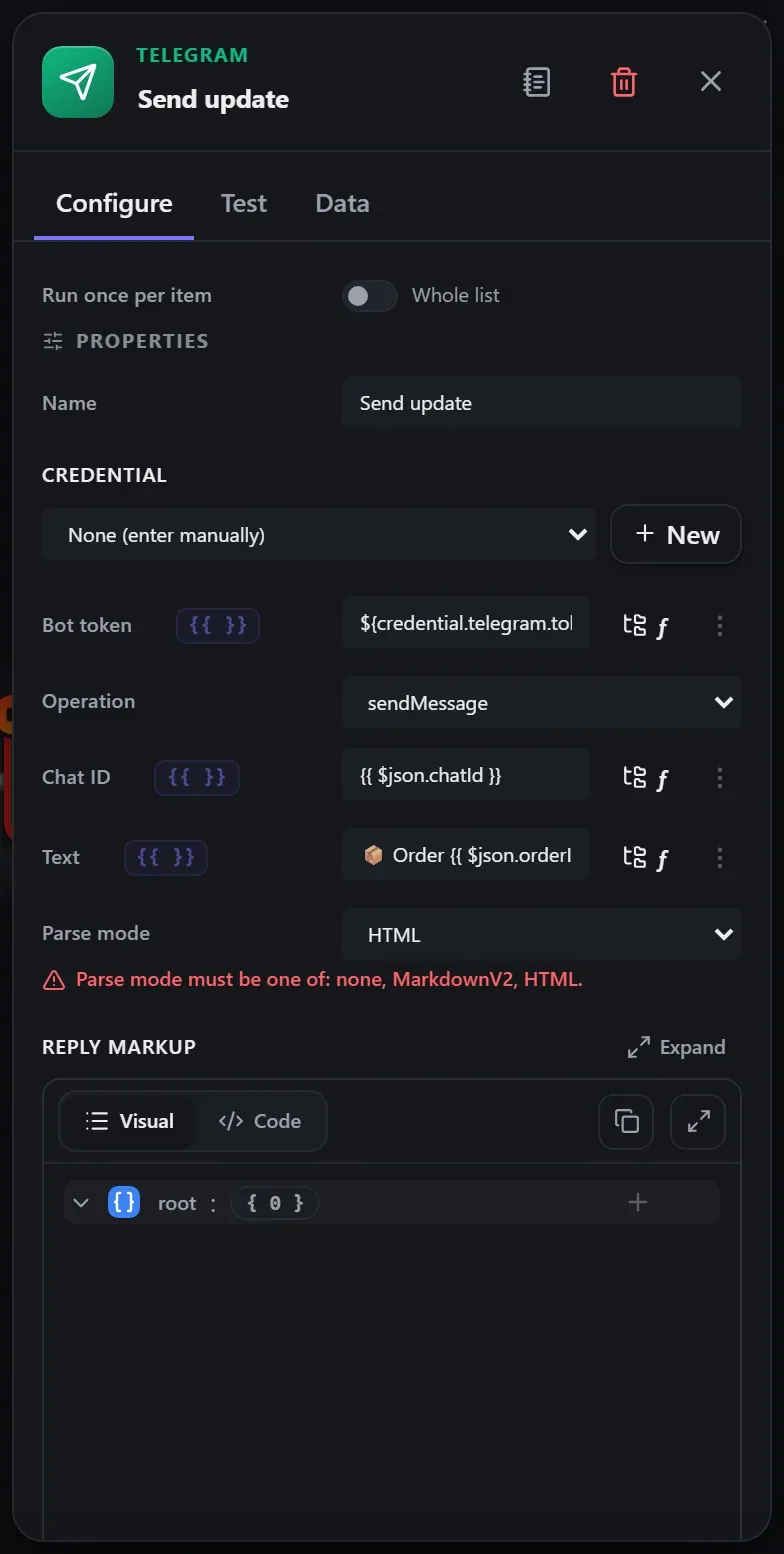
-
Now (NY time) — a Date & Time node, Operation now, format
yyyy-MM-dd HH:mm:ss, timezoneAmerica/New_York, Output fieldreceivedAt. It stamps each update with a readable local time. -
Echo reply — a Telegram output node with the same credential, Operation sendMessage, and Text using
{{ }}expressions straight in the field:⏰ {{ $json.receivedAt }} — You said: {{ $json.message.text }}No script node needed. Replying to the sender (rather than a fixed chat id) works too: set Chat id to
{{ $json.message.chat.id }}.
4. Test in Studio
Test workflow, message the bot, watch the run light up. Open the trigger node’s output to
see the full Telegram update envelope — handy for finding fields to use in expressions
($json.message.from.first_name, $json.message.chat.id, …).
5. Deploy it
Follow deploy to a host: pick a host and deploy — the host’s embedded engine starts polling Telegram from that machine immediately. The token is not in the deployed document — the host leases it from the vault at each run start.
Going further
The Telegram nodes go well beyond echo: the output node covers send/edit/delete/pin, media uploads (photo, document, audio, video — including binary input from upstream nodes), locations, media groups, chat management, callback-query answers and binary-safe file downloads. See the Telegram node reference and Telegram Trigger reference.