AI Agent
ai.agent AI v0.1.0 Conversational AI agent with a pluggable model (Ollama local/cloud), pluggable memory (state/file/in-memory), and tools (workflows + MCP). Calls tools in a loop until it can answer.
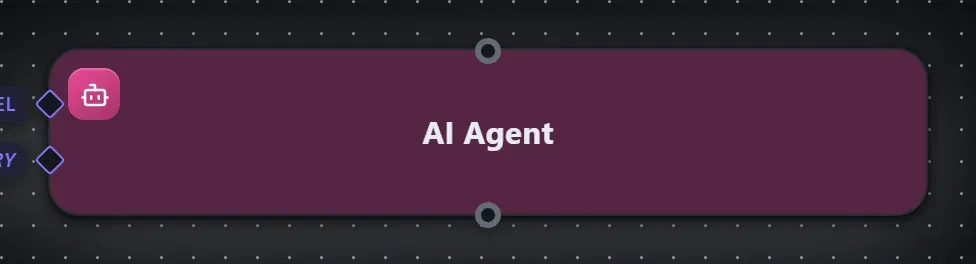
Finding it in the library
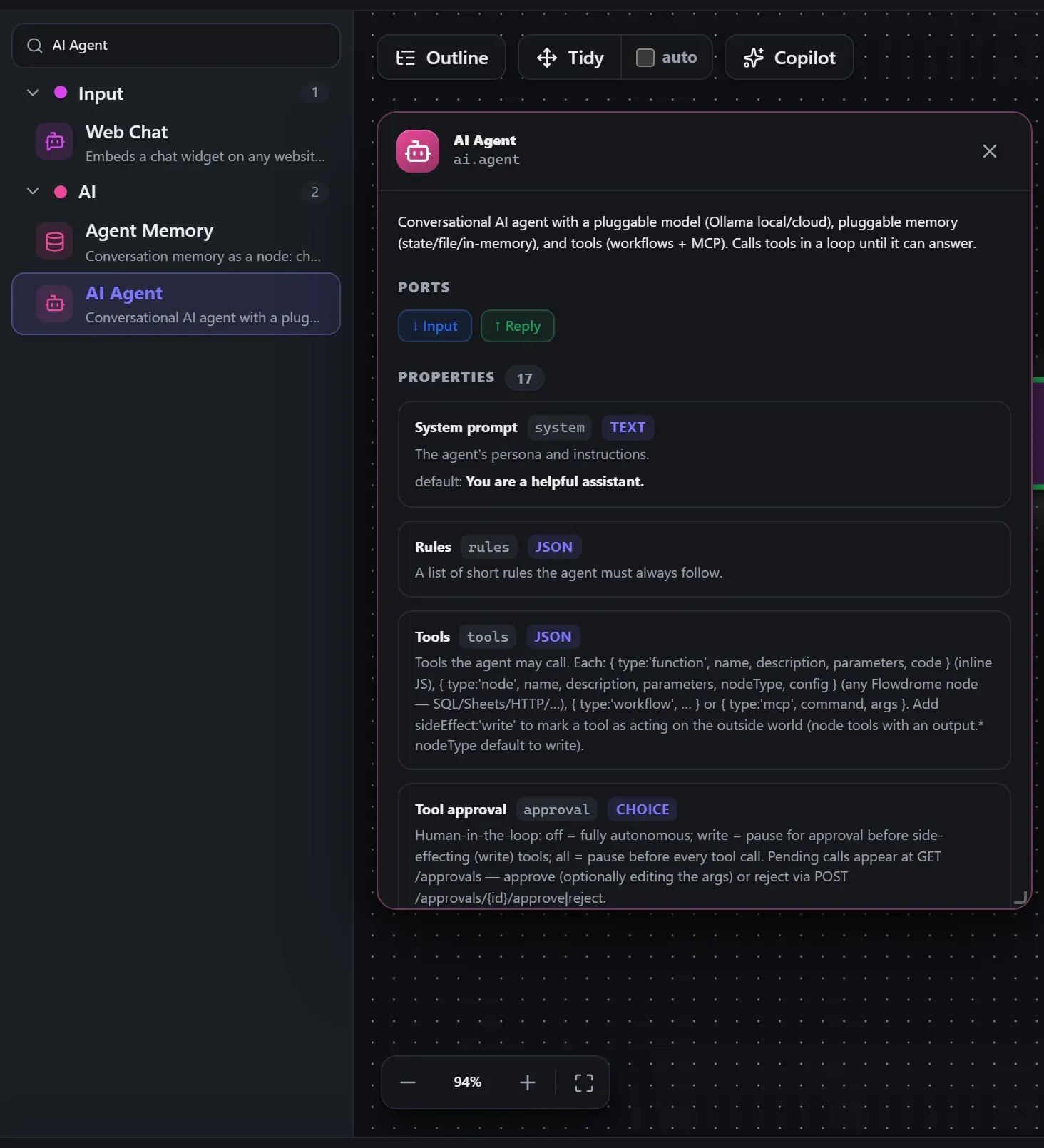
Search the builder's node library for AI Agent (it lives under AI). A single click opens the in-editor docs panel shown here — description, ports, and every property, without leaving the canvas. Double-click (or drag) to add it to the workflow.
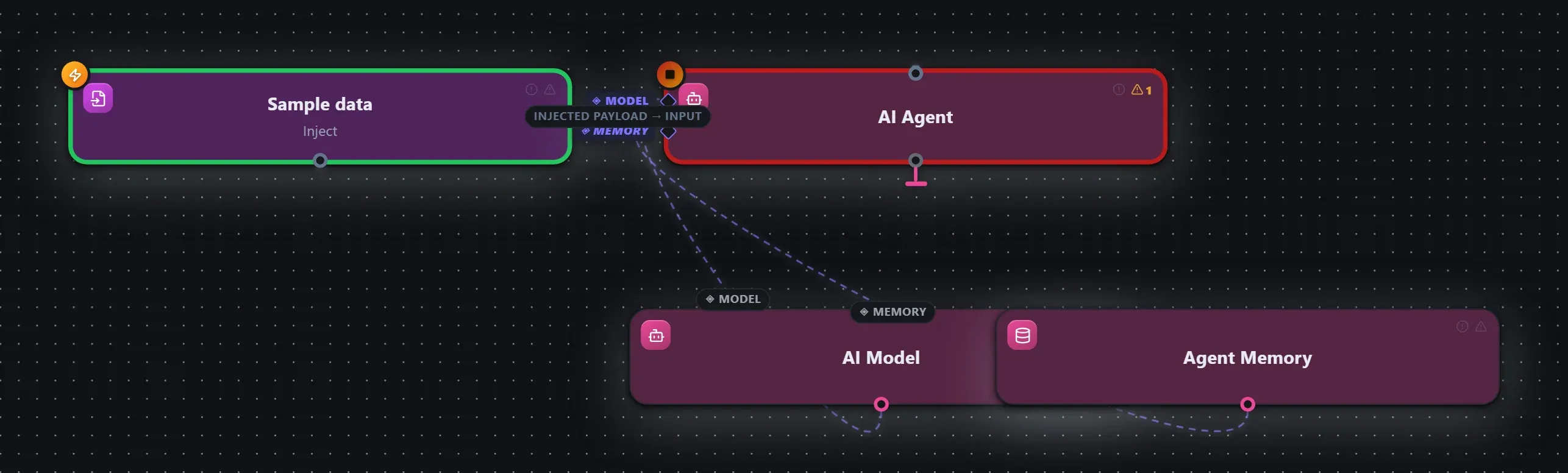
Wired up in the builder
AI Agent in a real, runnable flow — captured live from the Studio editor, exactly as it looks on your canvas. The ◈ ports carry the AI Model provider and Agent Memory you wire in. This is the same workflow used for the example input & output below.
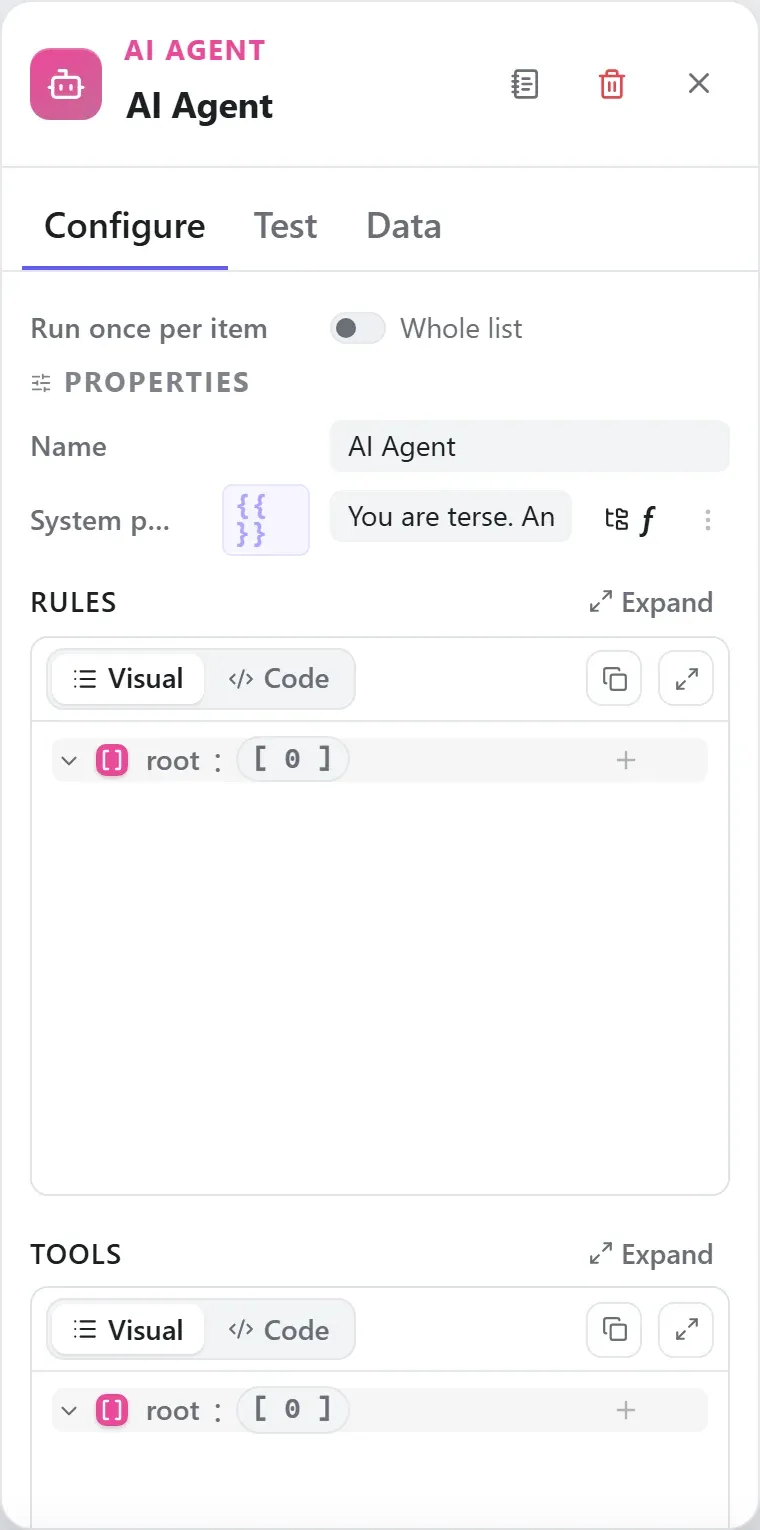
How it’s configured
The node’s settings as the builder shows them — every field laid out with real values. In the Studio these are edited on the node: click the chevron on the divider under its ports to open them.
Ports
Ports are the node’s contract with its neighbours. In the editor a port label renders bold when wired and italic when optional; ◈ ports accept attachment carriers rather than data wires.
| Direction | Port | Label | What flows through it |
|---|---|---|---|
| Input | input | Input | |
| Output | output | Reply |
How data flows through it
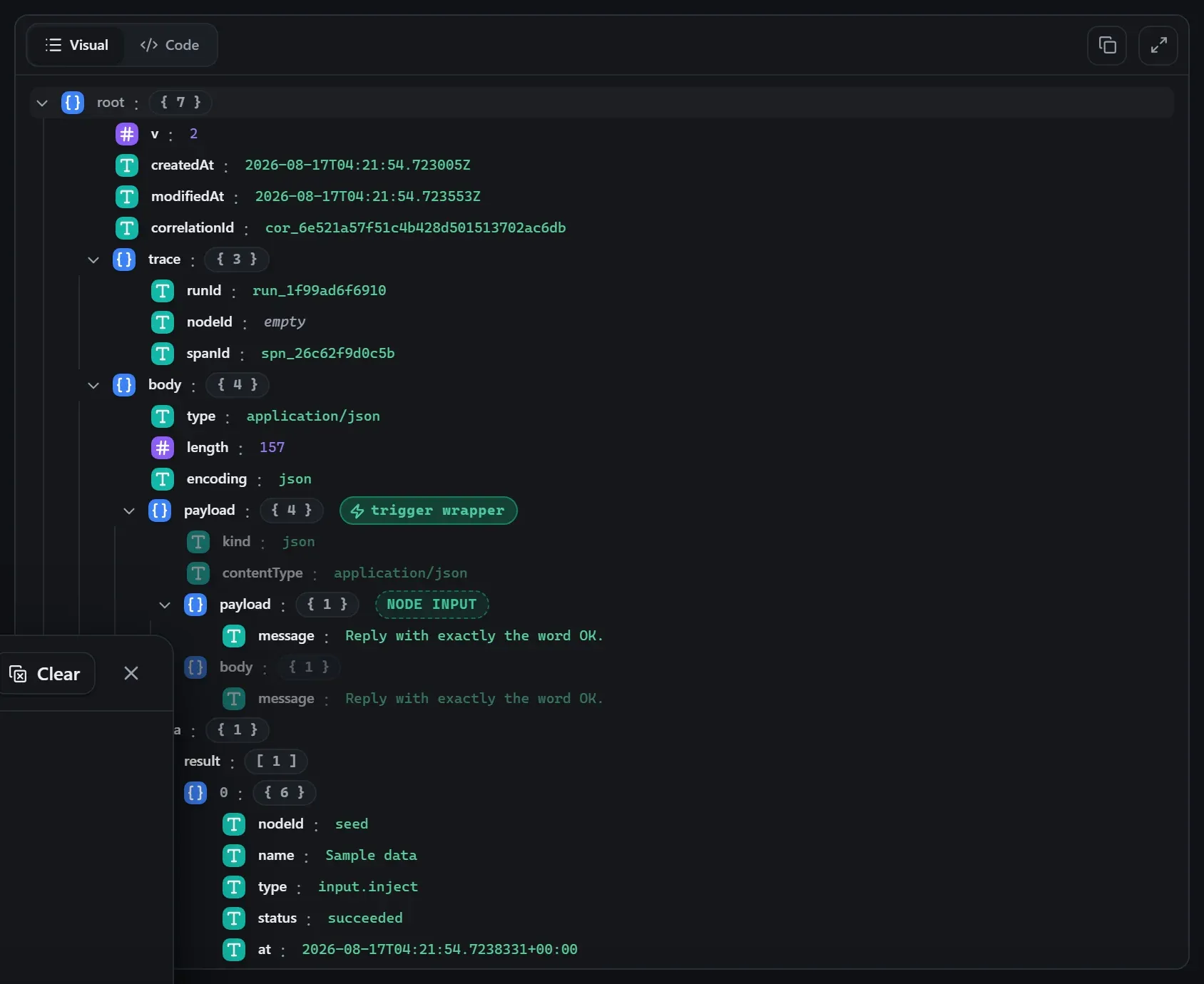
AI Agent consumes the content of the incoming envelope — when it is fed directly by a trigger, the trigger’s wrapper is unwrapped at the node boundary so the node sees the actual data, not the metadata shell. Its output becomes the payload for the next node, while the envelope (trace ids, correlation, binary refs) rides along untouched. In the Runs view you always see the whole envelope for both sides of this node.
Expressions in the config
String-typed properties accept {{ }} expressions evaluated against the
incoming item at run time — e.g. {{ $json.customer.email }}. On this node
that’s system, memoryEmbedModel, memoryEmbedBaseUrl, memoryEmbedKey, sessionKey, message. JSON- and code-typed fields never interpolate — they are passed through literally.
Build it with AI
Every node in this reference is reachable through Flowdrome’s
AI Copilot and the
MCP tools — say what you want, and the graph surgery
happens server-side. Node types resolve fuzzily, so the catalog label
(AI Agent) works as well as the exact type id (ai.agent).
In the Copilot panel (or any connected AI):
add a ai agent node after the triggerAs a step in a create_chain_workflow call:
{"type":"AI Agent","config":{}}Raw MCP call — add this node to a workflow with add_node
curl -s -X POST http://localhost:4800/mcp -H "content-type: application/json" -d '{ "jsonrpc": "2.0", "id": "1", "method": "tools/call", "params": { "name": "add_node", "arguments": { "workflowId": "<id>", "type": "AI Agent" } } }'Example input & output
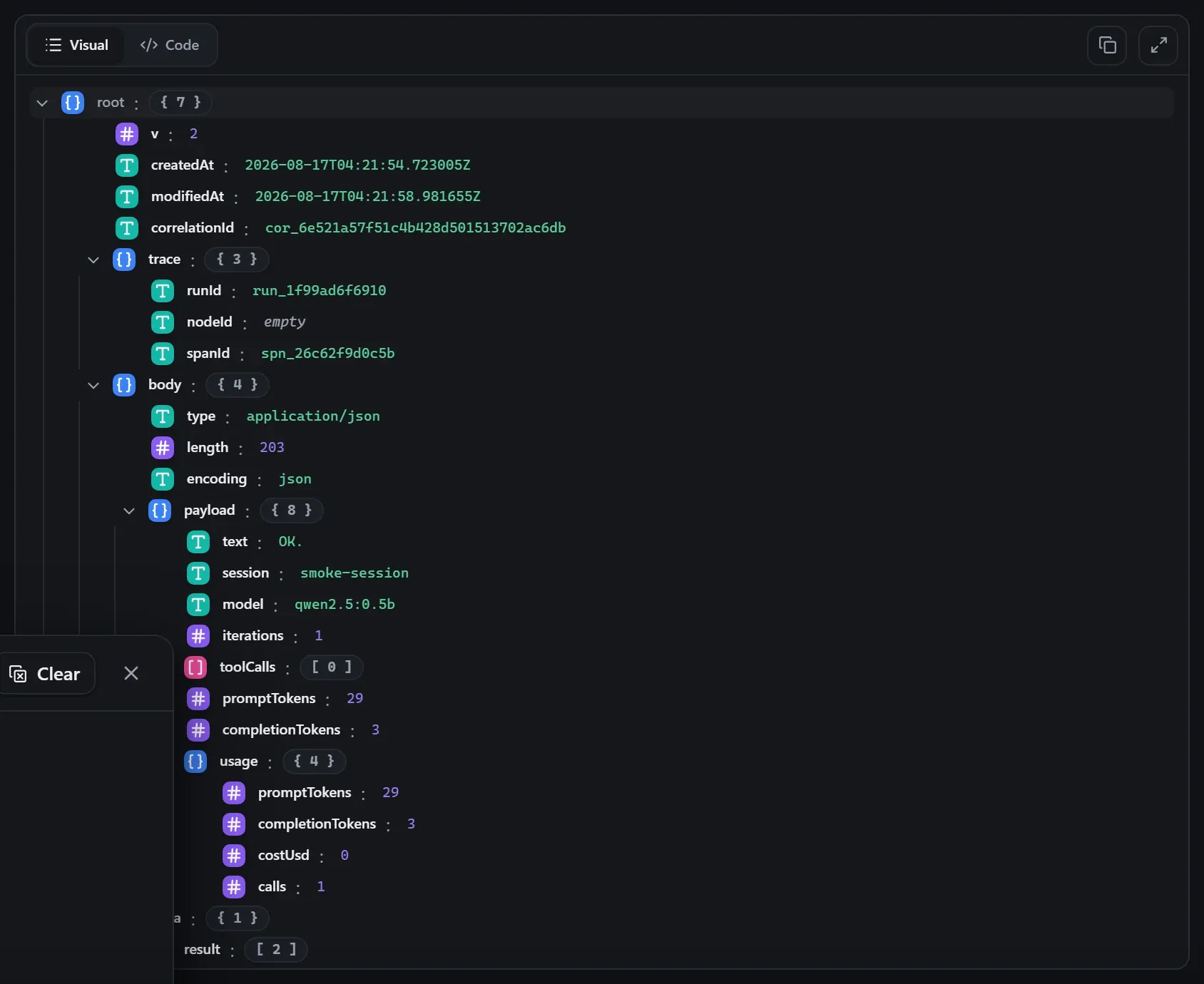
Captured from a real test run of the workflow above — this is what the Runs view shows after pressing Test workflow.
Input — what the node received
body.Output — what the node produced
Property reference
Every setting, with its type and default — the same fields shown configured above.
| Property | Type | Default | Description |
|---|---|---|---|
System promptsystem | string | "You are a helpful assistant." | The agent's persona and instructions. |
Rulesrules | json | [] | A list of short rules the agent must always follow. |
Toolstools | json | [] | Tools the agent may call. Each: { type:'function', name, description, parameters, code } (inline JS), { type:'node', name, description, parameters, nodeType, config } (any Flowdrome node — SQL/Sheets/HTTP/…), { type:'workflow', … } or { type:'mcp', command, args }. Add sideEffect:'write' to mark a tool as acting on the outside world (node tools with an output.* nodeType default to write). |
Tool approvalapproval | select | "off" | Human-in-the-loop: off = fully autonomous; write = pause for approval before side-effecting (write) tools; all = pause before every tool call. Pending calls appear at GET /approvals — approve (optionally editing the args) or reject via POST /approvals/{id}/approve|reject. alloffwrite |
Approval timeout (ms)approvalTimeoutMs | int | 0 | How long a paused tool call waits for a decision. 0 = wait indefinitely; on expiry the call is rejected and the agent is told. Shown when Boolean(approval) && approval !== "off" |
Output formatoutputFormat | select | "text" | text = a free-form reply; json = constrain the final answer to a JSON object. jsontext |
MemorymemoryBackend | select | "state" | Where conversation history lives. state = durable host store; file = flat JSON files; inmemory = ephemeral; vector = SEMANTIC recall (embeds each turn and recalls the most RELEVANT past exchanges, not just the last N). fileinmemorystatevector |
Memory embed providermemoryEmbedProvider | select | "ollama" | Embeddings provider for vector memory: ollama (local) or openai (any OpenAI-compatible /embeddings). ollamaopenai Shown when memoryBackend === "vector" |
Memory embed modelmemoryEmbedModel | string | "nomic-embed-text" | Embedding model for vector memory, e.g. nomic-embed-text (ollama) or text-embedding-3-small (openai). Shown when memoryBackend === "vector" |
Memory embed URLmemoryEmbedBaseUrl | string | "" | Override the embeddings endpoint. Blank = the provider default. Shown when memoryBackend === "vector" |
Memory embed keymemoryEmbedKey | string | "" | Bearer key for the embeddings endpoint (openai) — supports ${credential.NAME.FIELD}. Shown when memoryBackend === "vector" |
Session keysessionKey | string | "{{ input.sessionId }}" | Template for the conversation id, e.g. {{ input.sessionId }}. Same key = same memory. |
User messagemessage | string | "{{ input.message }}" | Template for the user's message, e.g. {{ input.message }} or {{ input }}. |
Max tool roundsmaxIterations | int | 6 | How many tool-call rounds the agent may take before it must answer. |
History limithistoryLimit | int | 20 | How many prior turns to recall from memory. |
Run budget ($)budgetUsd | double | 0 | Halt the run with BUDGET_EXCEEDED once its AI spend reaches this many dollars (built-in per-model prices; unknown models count $0). 0 = no dollar budget. FLOWDROME_AI_BUDGET_USD sets an app-wide default. |
Run budget (tokens)budgetTokens | int | 0 | Halt the run once its total AI tokens (prompt + completion) reach this count. 0 = no token budget. |
Using it
The AI Agent is Flowdrome’s flagship AI node: a full agentic loop in one step. Each run it recalls the conversation from memory, sends your message to the model with the system persona and rules, lets the model call tools for up to Max iterations rounds, and emits the final answer (plus the tool-call trace) as the node output.
Model — local or cloud
- Provider = ollama runs against a local Ollama daemon (
http://localhost:11434by default) — no API key, nothing leaves your machine. Any pulled model works (Model =qwen2.5:0.5bis enough to try it). - Provider = ollama-cloud targets
https://ollama.comwith bigger hosted models (e.g.gpt-oss:20b). Put the key in a stored credential and reference it from the API key field as${credential.<name>.apiKey}— never paste a literal key into the workflow.
Memory — three pluggable backends
Memory backend decides where conversation history lives, and Session key decides which
conversation a run belongs to (it’s a template — {{ input.sessionId }} gives every customer
their own thread; the same key recalls the same memory):
| Backend | Lives | Use when |
|---|---|---|
state | the host’s durable store | production — survives restarts |
file | flat JSON files | easy to inspect/back up |
inmemory | the app’s process | tests and demos |
History limit caps how many prior turns are replayed into the prompt.
Tools — functions, workflows, MCP
The Tools list is what makes it an agent. Three kinds, mixable:
- Workflows as tools —
{ "type": "workflow", "name": "get_order", "description": "Fetch one order by id", "parameters": { … }, "workflowId": "wf_…" }lets the agent invoke your other Flowdrome workflows. The description tells the model when to call it; the parameters schema tells it how. Your existing flows become the agent’s hands. - Function tools — small declared functions the host resolves directly.
- MCP tools —
{ "type": "mcp", "command": "…", "args": [ … ] }connects an external Model Context Protocol server and exposes its tools to the agent.
The output’s toolCalls array records every round — which tool, what arguments, what came
back — so you can audit exactly how the agent reached its answer.
A real run
The example capture above is a live run against a local Ollama (qwen2.5:0.5b): the output
carries text (the reply), session, model, iterations, toolCalls, and token counts.
The AI in Flowdrome guide walks the whole setup with screenshots, including
the WebSocket order-assistant demo — an agent with three workflow-tools taking orders over a
live socket.
Tips
- Start with Max iterations = 1 (no tools) to validate model + prompt, then add tools and raise it.
- Output format = json constrains the final answer to a JSON object — combine with rules that name the fields.
- Keep Temperature at
0for operational agents; raise it only for creative tasks. - A blank Base URL is correct for both providers — it defaults per provider.
Related nodes
The rest of the AI group — the same folder you’d scan in the editor’s library.
This page is generated from the node registry by gen-node-docs.mjs on every
site build — ports, properties, defaults and visibility rules cannot drift from the code.
The screenshots and example data are captured from a live Flowdrome by
npm run shots:nodes and npm run gen:examples.
The hand-authored notes above are merged in.