HTTP Request
output.http-request Output v0.1.0 Sends workflow data to an HTTP endpoint.
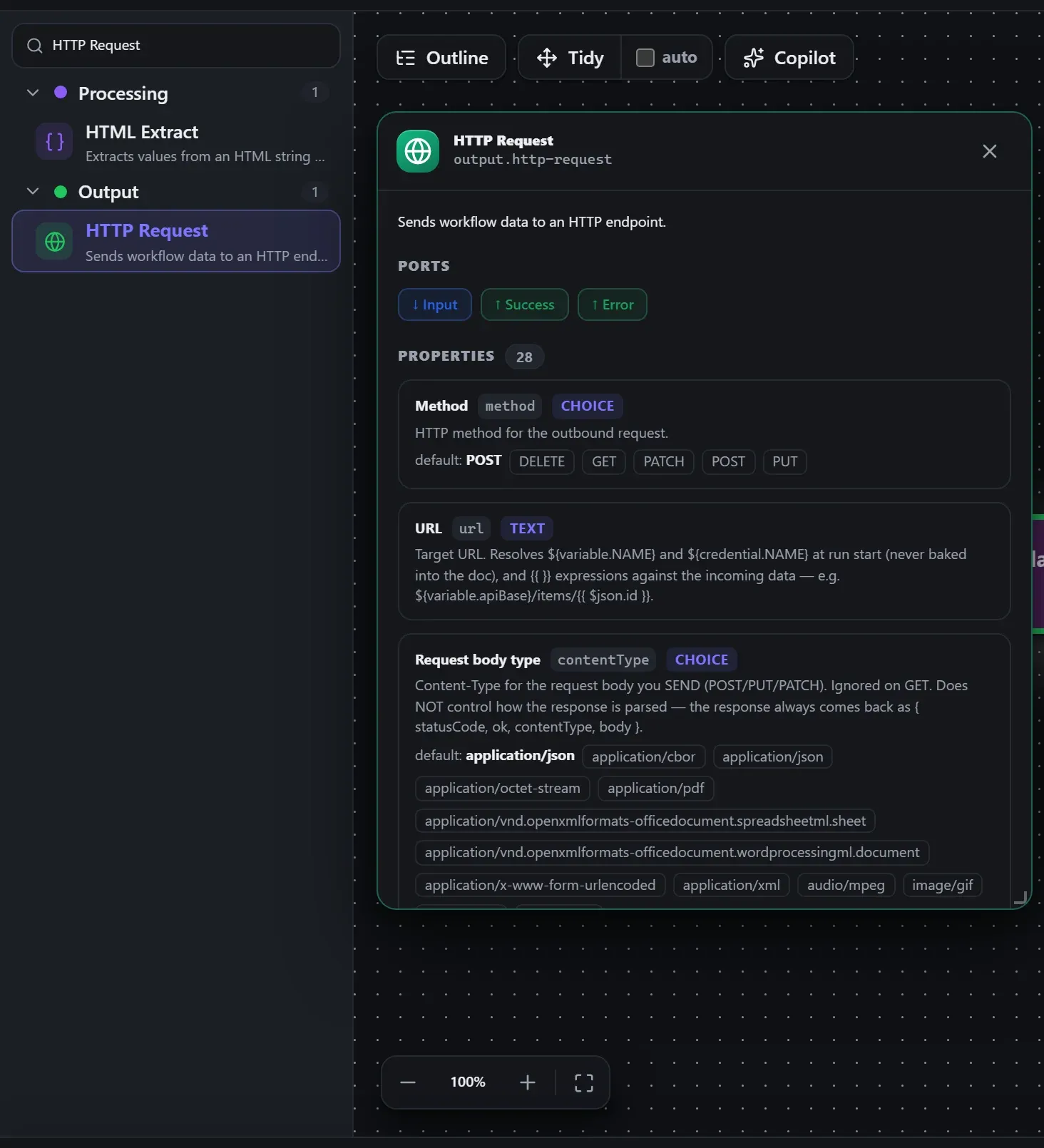
Finding it in the library
Search the builder's node library for HTTP Request (it lives under Output). A single click opens the in-editor docs panel shown here — description, ports, and every property, without leaving the canvas. Double-click (or drag) to add it to the workflow.
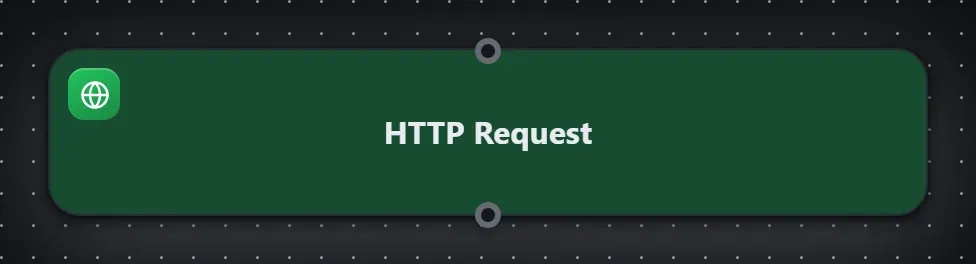
Wired up in the builder
HTTP Request in a real, runnable flow — captured live from the Studio editor, exactly as it looks on your canvas. This is the same workflow used for the example input & output below.

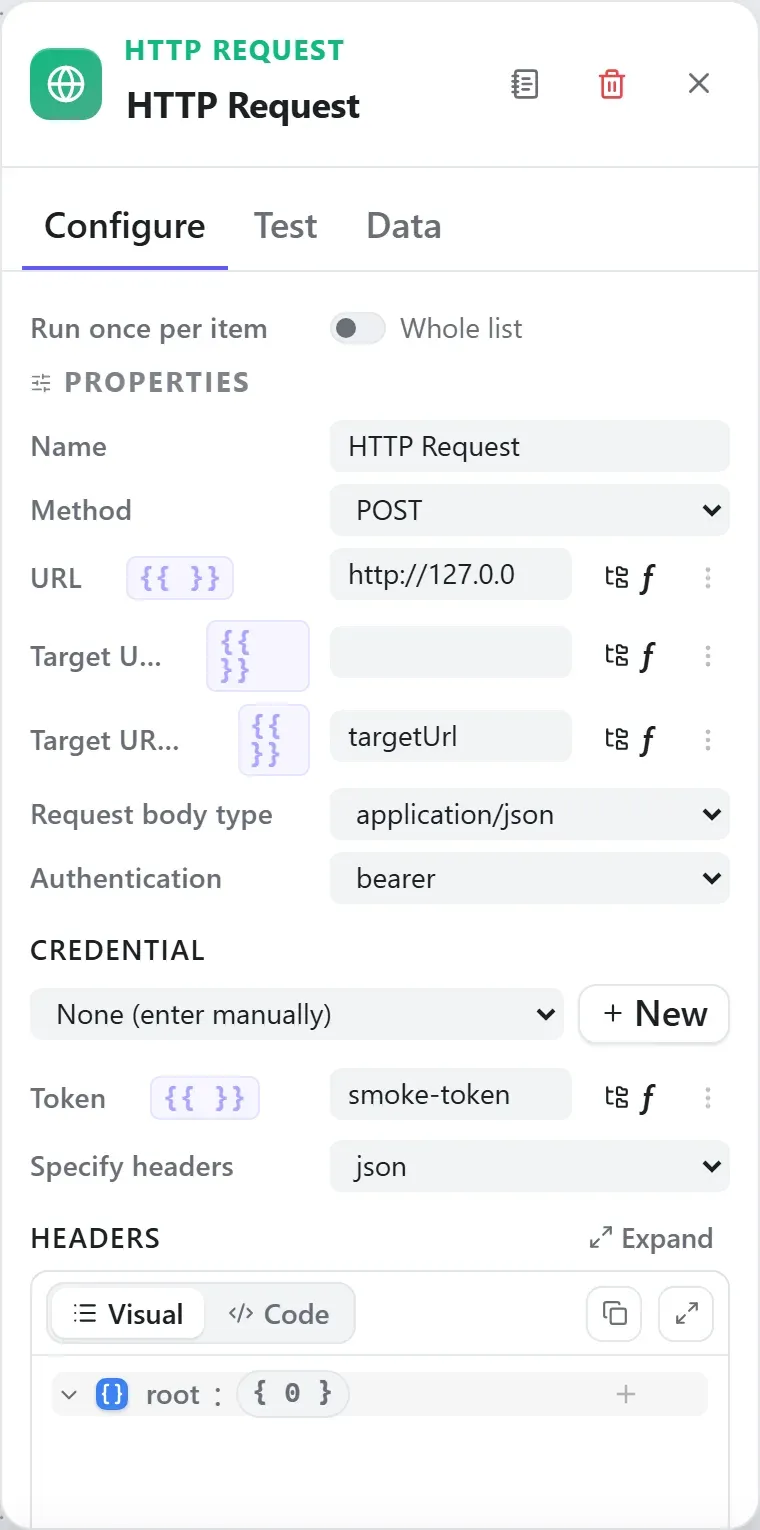
How it’s configured
The node’s settings as the builder shows them — every field laid out with real values. In the Studio these are edited on the node: click the chevron on the divider under its ports to open them.
Ports
Ports are the node’s contract with its neighbours. In the editor a port label renders bold when wired and italic when optional; ◈ ports accept attachment carriers rather than data wires.
| Direction | Port | Label | What flows through it |
|---|---|---|---|
| Input | input | Input | |
| Output | success | Success | |
| Output | error | Error |
How data flows through it
HTTP Request consumes the content of the incoming envelope — when it is fed directly by a trigger, the trigger’s wrapper is unwrapped at the node boundary so the node sees the actual data, not the metadata shell. Its output becomes the payload for the next node, while the envelope (trace ids, correlation, binary refs) rides along untouched. In the Runs view you always see the whole envelope for both sides of this node.
Expressions in the config
String-typed properties accept {{ }} expressions evaluated against the
incoming item at run time — e.g. {{ $json.customer.email }}. On this node
that’s url, authUser, authPassword, authToken, authName, authValue, authConsumerKey, authConsumerSecret, authTokenSecret, userAgent. JSON- and code-typed fields never interpolate — they are passed through literally.
Build it with AI
Every node in this reference is reachable through Flowdrome’s
AI Copilot and the
MCP tools — say what you want, and the graph surgery
happens server-side. Node types resolve fuzzily, so the catalog label
(HTTP Request) works as well as the exact type id (output.http-request).
In the Copilot panel (or any connected AI):
add a http request node after the triggerAs a step in a create_chain_workflow call:
{"type":"HTTP Request","config":{}}Raw MCP call — add this node to a workflow with add_node
curl -s -X POST http://localhost:4800/mcp -H "content-type: application/json" -d '{ "jsonrpc": "2.0", "id": "1", "method": "tools/call", "params": { "name": "add_node", "arguments": { "workflowId": "<id>", "type": "HTTP Request" } } }'Example input & output
Captured from a real test run of the workflow above — this is what the Runs view shows after pressing Test workflow.
On this run the node emitted on ports success, output.
Input — what the node received
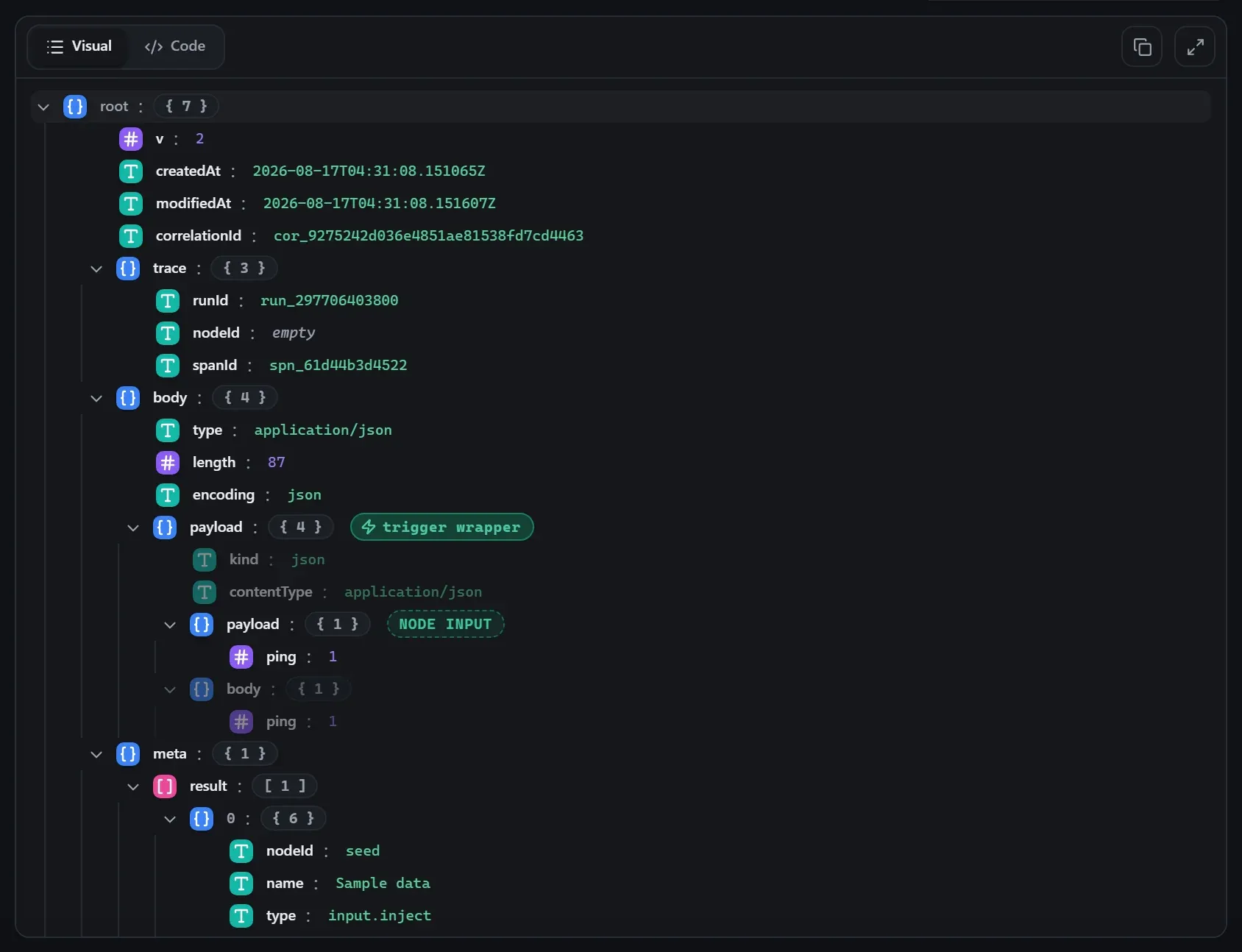
body.Output — what the node produced
Property reference
Every setting, with its type and default — the same fields shown configured above.
| Property | Type | Default | Description |
|---|---|---|---|
Methodmethod | select | "POST" | HTTP method for the outbound request. DELETEGETPATCHPOSTPUT |
URLurl | string | — | Target URL. Resolves ${variable.NAME} and ${credential.NAME} at run start (never baked into the doc), and {{ }} expressions against the incoming data — e.g. ${variable.apiBase}/items/{{ $json.id }}. |
Request body typecontentType | select | "application/json" | Content-Type for the request body you SEND (POST/PUT/PATCH). Ignored on GET. Does NOT control how the response is parsed — the response always comes back as { statusCode, ok, contentType, body }. application/cborapplication/jsonapplication/octet-streamapplication/pdfapplication/vnd.openxmlformats-officedocument.spreadsheetml.sheetapplication/vnd.openxmlformats-officedocument.wordprocessingml.documentapplication/x-www-form-urlencodedapplication/xmlaudio/mpegimage/gifimage/jpegimage/pngimage/svg+xmlimage/webpmultipart/form-datatext/csvtext/htmltext/plainvideo/mp4 |
AuthenticationauthType | select | "none" | Attach credentials to the request: Basic, Bearer, Header (one named header), Query (one named query param), Digest (RFC 7616 challenge-response), Custom (JSON of headers/qs/body), OAuth1 (signed request), or OAuth2 (bearer access token). Your explicit headers always win over auth-injected ones. basicbearercustomdigestheadernoneoauth1oauth2query |
CredentialcredentialId | credential | "" | Use a stored credential for this connection — its fields are filled in at run start. Pick "None" to enter the connection details manually. accepts credential templates: http-basichttp-bearerhttp-headerhttp-queryhttp-digesthttp-customhttp-oauth1google-oauth2notion-oauth2hubspot-oauth2microsoft-oauth2Shown when String(authType ?? "none") !== "none" |
UserauthUser | string | — | User name for Basic/Digest auth. Shown when types.includes(String(authType ?? "none")) |
PasswordauthPassword | string | — | Password for Basic/Digest auth. Shown when types.includes(String(authType ?? "none")) |
TokenauthToken | string | — | Bearer/OAuth2 access token (sent as Authorization: Bearer <token>); for OAuth1 this is the access token. Shown when types.includes(String(authType ?? "none")) |
NameauthName | string | — | Header name (Header auth) or query parameter name (Query auth). Shown when types.includes(String(authType ?? "none")) |
ValueauthValue | string | — | Value of the auth header / query parameter. Shown when types.includes(String(authType ?? "none")) |
Custom auth JSONauthJson | json | — | Object with any of `headers`, `qs`, `body` maps merged into the request, e.g. { "headers": { "x-api-key": "…" } }. Shown when types.includes(String(authType ?? "none")) |
Consumer keyauthConsumerKey | string | — | OAuth1 consumer key. Shown when types.includes(String(authType ?? "none")) |
Consumer secretauthConsumerSecret | string | — | OAuth1 consumer secret. Shown when types.includes(String(authType ?? "none")) |
Token secretauthTokenSecret | string | — | OAuth1 token secret (pairs with the access token above). Shown when types.includes(String(authType ?? "none")) |
Signature methodauthSignatureMethod | select | "HMAC-SHA1" | OAuth1 signature algorithm. HMAC-SHA1HMAC-SHA256HMAC-SHA512 Shown when types.includes(String(authType ?? "none")) |
Specify headersheadersMode | select | "json" | Author headers as a JSON object or as name/value rows. jsonrows |
Headersheaders | keyvalue | — | Additional request headers — one row per header; values may hold {{ }} expressions, resolved per item when the request fires. Shown when String(headersMode ?? "json") === "json" |
HeadersheaderRows | rows | — | Request headers as name/value rows; values evaluate {{ }} expressions per row. Shown when String(headersMode ?? "json") === "rows" |
Send query parametersqueryMode | select | "none" | Attach query parameters to the URL — as a JSON object or name/value rows. jsonnonerows |
Query parametersquery | keyvalue | — | Query parameters — one row per parameter (arrays expand per the array format below); values may hold {{ }} expressions, resolved per item when the request fires. Shown when String(queryMode ?? "none") === "json" |
Query parametersqueryRows | rows | — | Query parameters as name/value rows; values evaluate {{ }} expressions per row. Repeated names become arrays. Shown when String(queryMode ?? "none") === "rows" |
Array formatqueryArrays | select | "brackets" | How array values serialize: brackets (foo[]=a&foo[]=b), repeat (foo=a&foo=b), or indices (foo[0]=a&foo[1]=b). bracketsindicesrepeat Shown when String(queryMode ?? "none") !== "none" |
Body pathbodyPath | field | — | Dotted path to the value used as the request body. |
Expect 2xxexpectOk | boolean | true | Fail the node on non-2xx responses. |
Return response bodyincludeResponseBody | boolean | true | Output the response body (the fetched data) as this node's result. Turn off to emit only the status code. |
Parse JSON responsesparseResponse | boolean | true | When the response Content-Type is JSON, output `body` as the PARSED value (and `bodyText` as the raw string) — no script needed to use the data. Malformed JSON keeps the string body and sets `parseFailed` instead of failing. On by default for new nodes; workflows saved without this option keep the original string `body`. |
Client (User-Agent)userAgentPreset | select | "default" | Send a User-Agent header identifying the client — appear as a browser, phone, or crawler; 'Custom' for your own string; 'Default' sends none. Some APIs (e.g. weather.gov) reject requests that arrive without a User-Agent. An explicit User-Agent in Headers always wins. bingbotchrome-androidchrome-macchrome-wincurlcustomdefaultduckduckbotedge-winfirefox-macfirefox-winflowdromegooglebotsafari-iossafari-mac |
Custom User-AgentuserAgent | string | "" | Full UA string — used when Client is 'Custom'. Shown when userAgentPreset === "custom" |
Using it
Fetch and use a JSON API — no glue code
Set Method and URL — the URL field takes {{ }} expressions, so
https://api.example.com/orders/{{ $json.orderId }} builds the path from the incoming data.
With Parse JSON responses on (the default for new nodes), the response body arrives as a
parsed value: the next node reads {{ $json.body.status }} or
{{ $json.body.items.length }} directly — no script node, no JSON.parse.
The example capture above shows the result shape: status code, headers, and the parsed body
side by side on the output envelope.
Scrape, then shape (the shipped Scrape Headlines demo)
A plain GET against a page feeds HTML Extract (CSS selectors) → Split Out → Sort →
Limit. The whole pipeline is list nodes; the request node just delivers body.
Body path — send one value, and fail fast when it isn’t there
By default a POST/PUT/PATCH sends the node’s whole incoming payload as the body (GET and DELETE send
none). Set Body path to a dotted path and two things change: the body becomes just that value,
and a path that is not present throws HTTP_REQUEST_BODY_MISSING —
body path is missing: customer — before the request is built or sent. No network call, no
half-finished write downstream, and the run’s error names the field.
That makes it the cheapest way to reject a webhook that arrived without the field you were about to forward, since nothing validates a request body by default:
# the workflow's HTTP Request node has Body path = customer
curl -i -X POST http://your-host:4801/signup-api/signup \
  -H 'content-type: application/json' -H 'Prefer: wait=5' \
-d '{"source":"web"}'HTTP/1.1 500 Internal Server Error
{ "runId": "run_9f3c1a", "status": "failed", "error": "body path is missing: customer" }Two limits worth knowing. Present-but-null counts as present — the check is whether the path
exists, so {"customer": null} passes it. And it only guards the value you are sending; to check a
shape you are not forwarding, use
Validate JSON Schema after the trigger instead. See
making a bad request fail properly.
Tips
- Parse JSON responses keeps the raw string in
bodyTextalongside the parsedbody; malformed JSON setsparseFailedinstead of failing the node. Workflows saved before this option keep their original string-body behavior. - The URL, headers and body fields all take
{{ }}expressions. - Client (User-Agent): pick a browser, phone, or crawler to appear as — or Custom for your
own string. Some APIs (e.g. weather.gov) reject requests that arrive without a
User-Agent; an explicitUser-Agentin Headers always wins over the preset. - Outbound requests pass an SSRF guard — private-range targets are refused unless the engine is configured to allow them.
- Binary responses (images, PDFs) become first-class binary items that S3 / Write File / Telegram media operations consume directly.
- A rejected request keeps the rejection. With Expect 2xx on (the default), a non-2xx fails
the node with
HTTP_REQUEST_FAILED/HTTP request returned 400— and the upstream’s own response body travels with it as structured detail on the failed node, so the run record says “name is required” and not just the status line. The run’s top-levelerror(the string a webhook caller collects) is the message; open the run to read the detail.
Related nodes
The rest of the Output group — the same folder you’d scan in the editor’s library.
This page is generated from the node registry by gen-node-docs.mjs on every
site build — ports, properties, defaults and visibility rules cannot drift from the code.
The screenshots and example data are captured from a live Flowdrome by
npm run shots:nodes and npm run gen:examples.
The hand-authored notes above are merged in.