XBRL
processing.xbrl Processing v0.1.0 Reads an XBRL or inline-XBRL (iXBRL) filing — SEC 10-K/10-Q, EU ESEF, UK accounts — and returns its facts as structured rows: concept, value, period, entity, unit and dimensions. Optionally emits xBRL-JSON or a validation report.

Finding it in the library
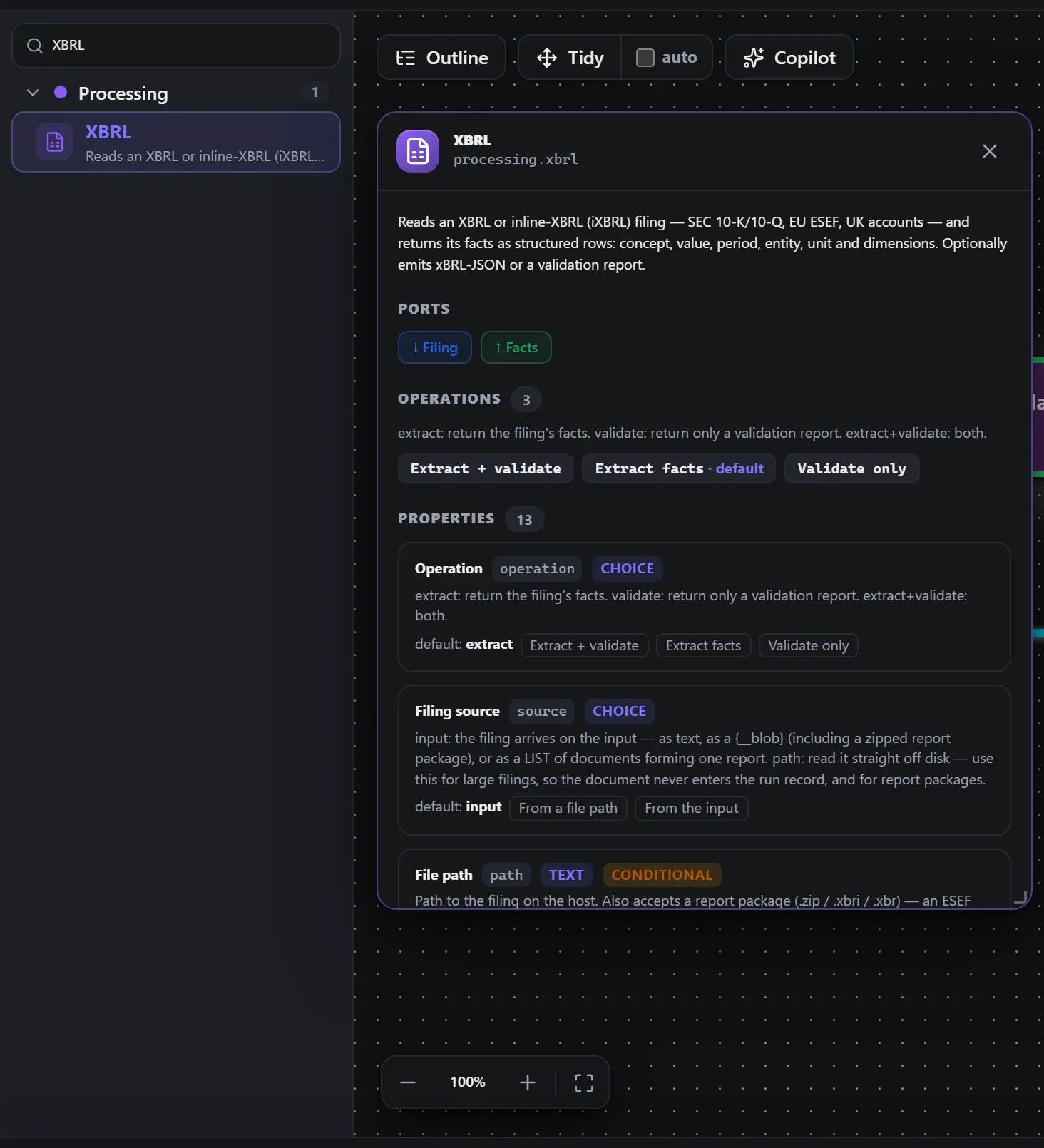
Search the builder's node library for XBRL (it lives under Processing). A single click opens the in-editor docs panel shown here — description, ports, and every property, without leaving the canvas. Double-click (or drag) to add it to the workflow.
Wired up in the builder
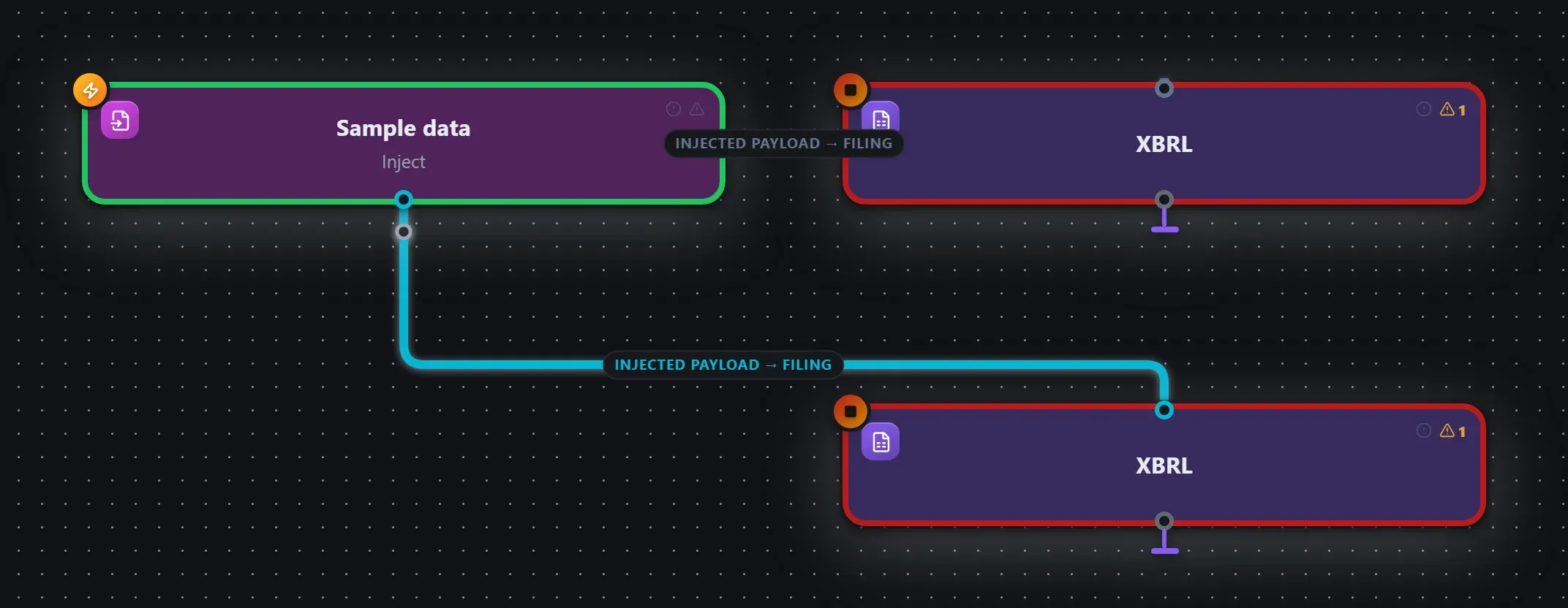
XBRL in a real, runnable flow — captured live from the Studio editor, exactly as it looks on your canvas. This is the same workflow used for the example input & output below.
How it’s configured
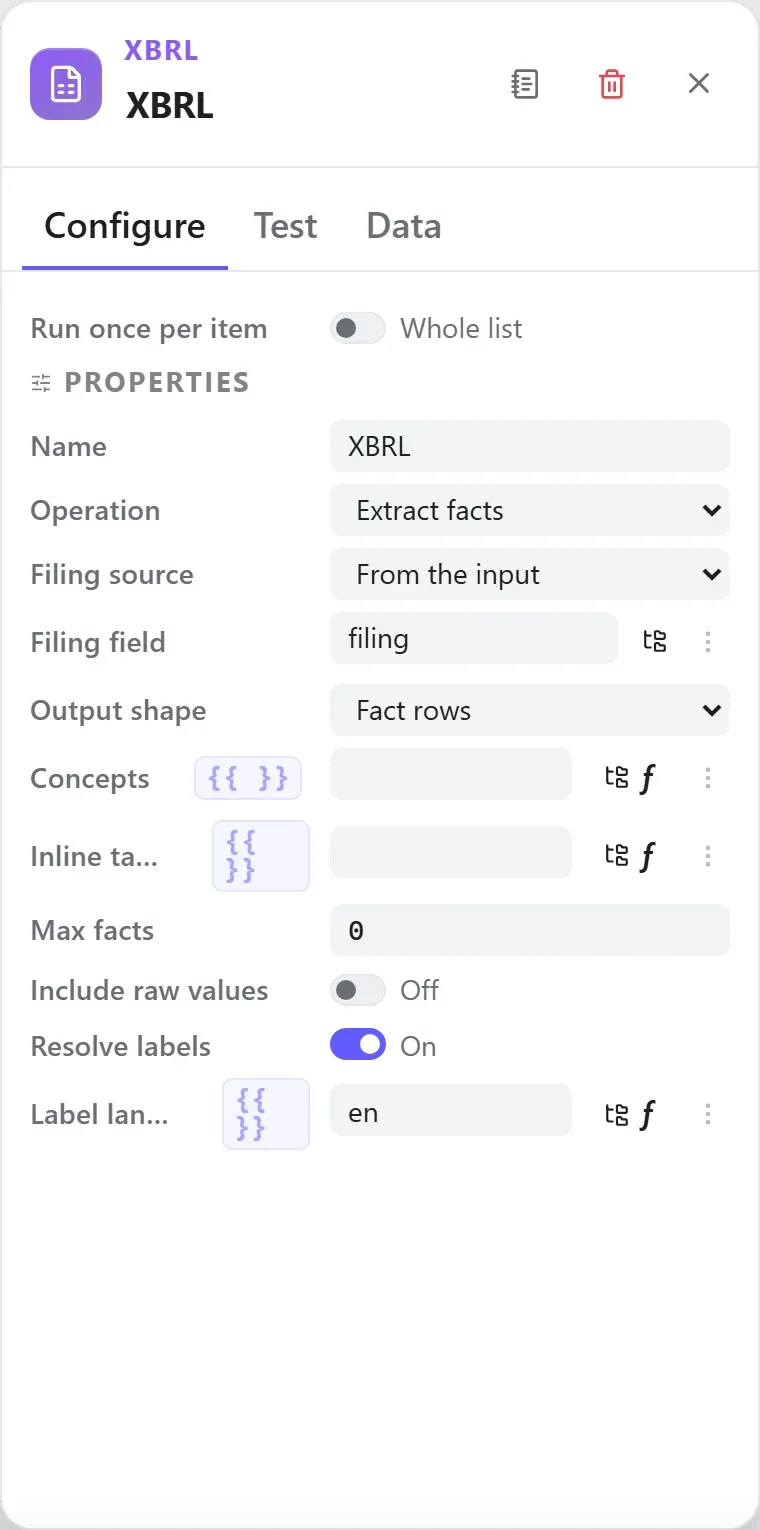
The node’s settings as the builder shows them — every field laid out with real values. In the Studio these are edited on the node: click the chevron on the divider under its ports to open them.
Ports
Ports are the node’s contract with its neighbours. In the editor a port label renders bold when wired and italic when optional; ◈ ports accept attachment carriers rather than data wires.
| Direction | Port | Label | What flows through it |
|---|---|---|---|
| Input | input | Filing | |
| Output | output | Facts |
How data flows through it
XBRL consumes the content of the incoming envelope — when it is fed directly by a trigger, the trigger’s wrapper is unwrapped at the node boundary so the node sees the actual data, not the metadata shell. Its output becomes the payload for the next node, while the envelope (trace ids, correlation, binary refs) rides along untouched. In the Runs view you always see the whole envelope for both sides of this node.
Expressions in the config
String-typed properties accept {{ }} expressions evaluated against the
incoming item at run time — e.g. {{ $json.customer.email }}. On this node
that’s path, concepts, target, language. JSON- and code-typed fields never interpolate — they are passed through literally.
Build it with AI
Every node in this reference is reachable through Flowdrome’s
AI Copilot and the
MCP tools — say what you want, and the graph surgery
happens server-side. Node types resolve fuzzily, so the catalog label
(XBRL) works as well as the exact type id (processing.xbrl).
In the Copilot panel (or any connected AI):
add a xbrl node after the triggerAs a step in a create_chain_workflow call:
{"type":"XBRL","config":{}}Raw MCP call — add this node to a workflow with add_node
curl -s -X POST http://localhost:4800/mcp -H "content-type: application/json" -d '{ "jsonrpc": "2.0", "id": "1", "method": "tools/call", "params": { "name": "add_node", "arguments": { "workflowId": "<id>", "type": "XBRL" } } }'Example input & output
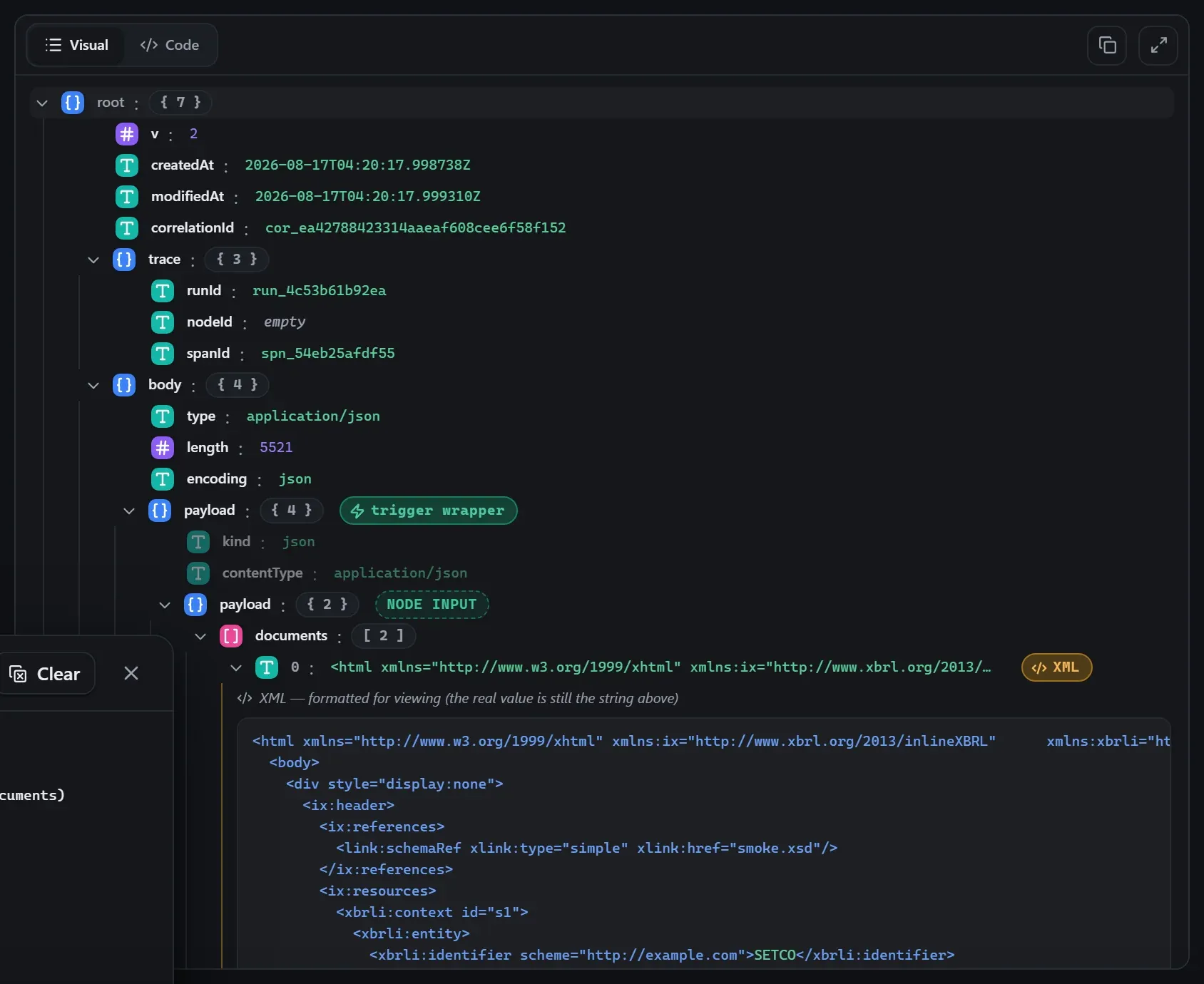
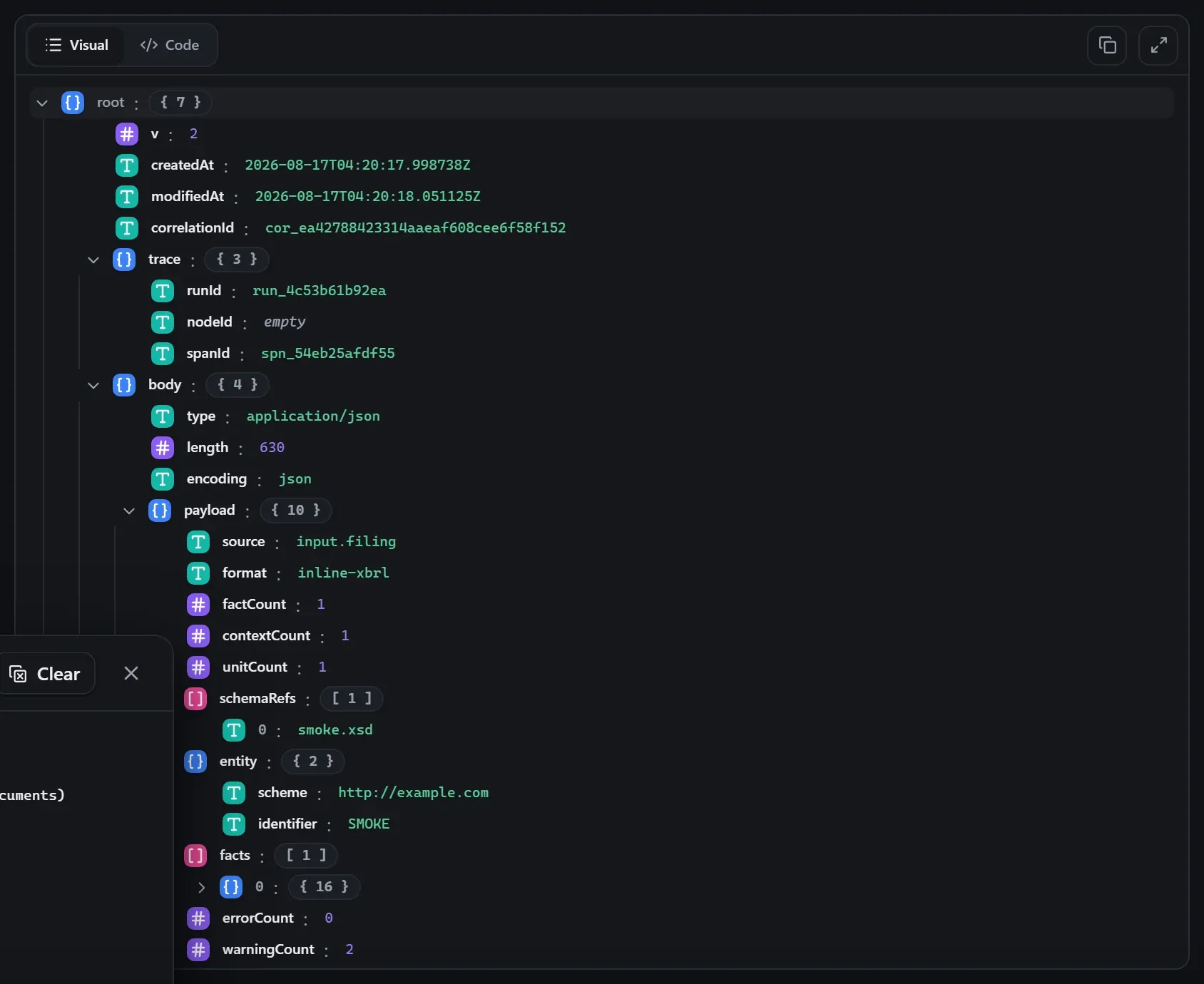
Captured from a real test run of the workflow above — this is what the Runs view shows after pressing Test workflow.
Input — what the node received
body.Output — what the node produced
Property reference
Every setting, with its type and default — the same fields shown configured above.
| Property | Type | Default | Description |
|---|---|---|---|
Operationoperation | select | "extract" | extract: return the filing's facts. validate: return only a validation report. extract+validate: both. extract+validateextractvalidate |
Filing sourcesource | select | "input" | input: the filing arrives on the input — as text, as a {__blob} (including a zipped report package), or as a LIST of documents forming one report. path: read it straight off disk — use this for large filings, so the document never enters the run record, and for report packages. pathinput |
File pathpath | string | — | Path to the filing on the host. Also accepts a report package (.zip / .xbri / .xbr) — an ESEF annual report is one, and opening it as a package is what makes the extension taxonomy inside the archive resolvable. For a DOCUMENT SET (an SEC submission puts contexts in the primary form and facts in an exhibit) give one path PER LINE: read separately, every contextRef dangles. Supports {{ input.field }} expressions. Shown when source === "path" |
Filing fieldproperty | field | — | Field on the input that holds the filing text (e.g. "body" from an HTTP Request). Leave blank when the whole input is the filing. Shown when (source ?? "input") === "input" |
Output shapeoutput | select | "facts" | facts: one row per reported fact, with period, entity, unit and dimensions resolved. xbrl-json: the standard Open Information Model JSON serialization. factsxbrl-json Shown when (operation ?? "extract") !== "validate" |
Conceptsconcepts | string | — | Comma-separated concept names to keep (e.g. "Revenues, Assets, us-gaap:NetIncomeLoss"). Leave blank for every fact in the filing. Shown when (operation ?? "extract") !== "validate" |
Inline targettarget | string | — | For a multi-target inline document, the ix target to read. Leave blank to read every target — which is what almost every filing needs. |
Max factsmaxFacts | int | 0 | Stop after this many facts. 0 reads the whole filing. |
Include raw valuesincludeRawValues | boolean | false | Keep each fact's text as it appeared on the page, before the inline transform, scale and sign were applied. Useful when a number looks wrong and you need to see what was tagged. |
Regulator profileprofile | select | "auto" | Apply a regulator's extra rules on top of the XBRL specs. auto detects the regime from the filing; none skips them. EDGAR checks the SEC's cover-page and context rules, ESEF checks ESMA's LEI and extension-anchoring rules, UK checks Companies House / FRC rules, Japan checks EDINET's. autoesefjpnoneedgaruk Shown when (operation ?? "extract") !== "extract" |
Run formula assertionsvalidateFormulas | boolean | false | Evaluate the taxonomy's own formula-linkbase assertions. Thorough but slow on a large taxonomy, and assertions using XPath this engine cannot evaluate are reported as skipped rather than counted as passing. Shown when (operation ?? "extract") !== "extract" |
Resolve labelsresolveLabels | boolean | true | Load the taxonomy so each fact carries its human label, balance and period type. Turn off for the fastest possible extraction when you only need concept names and values. |
Label languagelanguage | string | "en" | Language for resolved labels (e.g. en, de, fr). Falls back to English, then to any available language. |
Related nodes
The rest of the Processing group — the same folder you’d scan in the editor’s library.
This page is generated from the node registry by gen-node-docs.mjs on every
site build — ports, properties, defaults and visibility rules cannot drift from the code.
The screenshots and example data are captured from a live Flowdrome by
npm run shots:nodes and npm run gen:examples.