Edit Fields (Set)
processing.set Processing v0.1.0 Set output fields from literals or JS {{ }} expressions, per item. Choose which other input fields to keep (all/none/selected/except); expressions can reach into JSON held in a string.
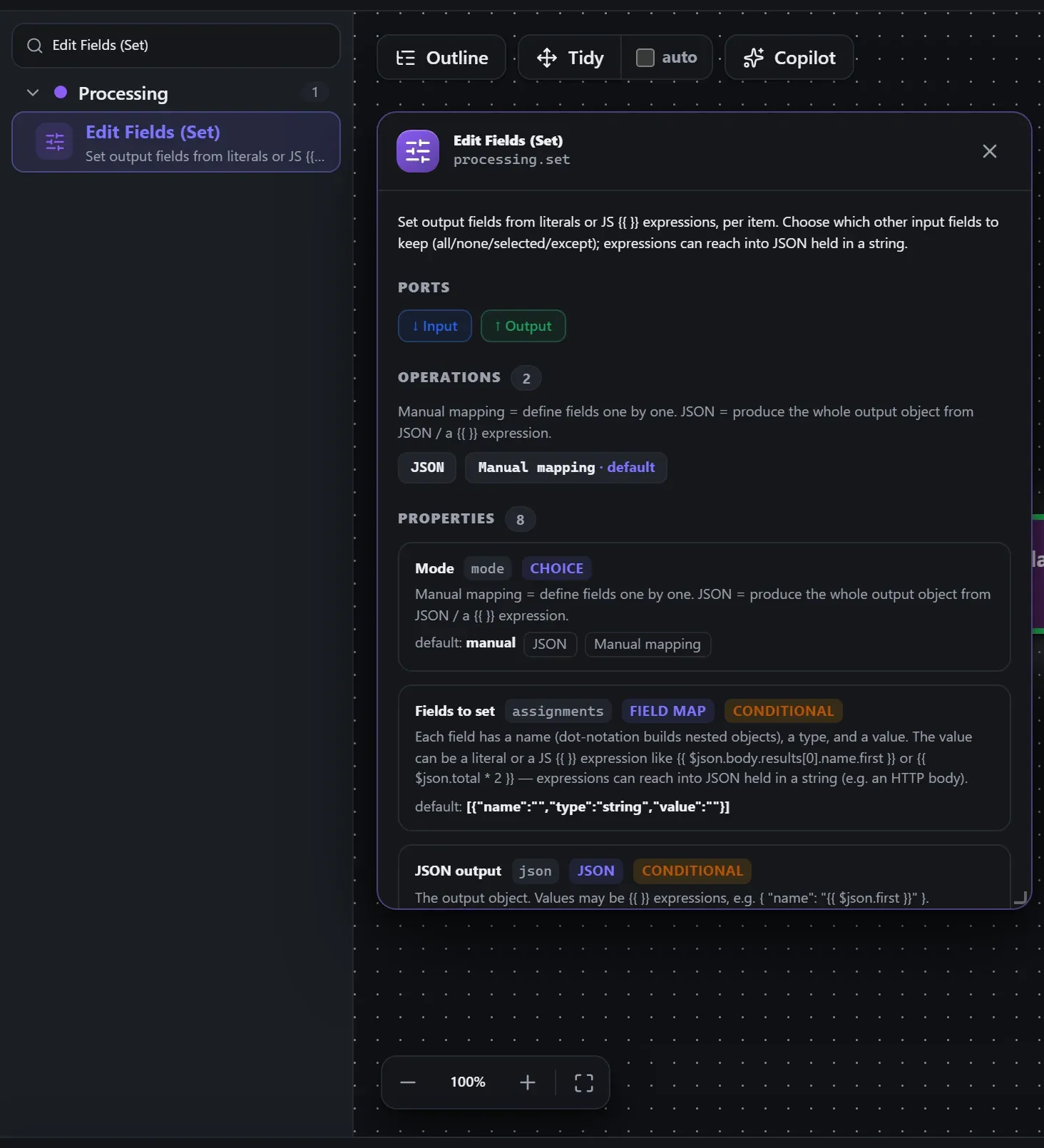
Finding it in the library
Search the builder's node library for Edit Fields (Set) (it lives under Processing). A single click opens the in-editor docs panel shown here — description, ports, and every property, without leaving the canvas. Double-click (or drag) to add it to the workflow.
Wired up in the builder
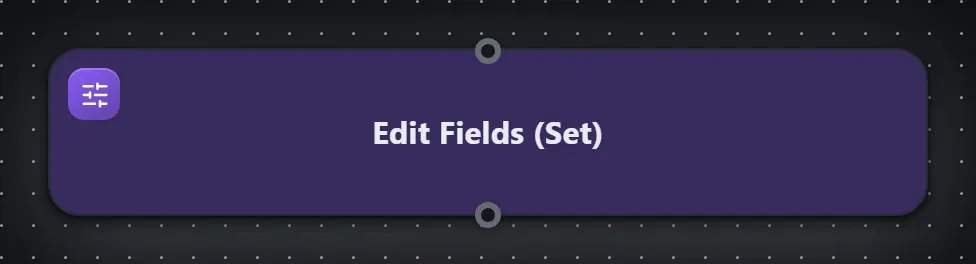
Edit Fields (Set) in a real, runnable flow — captured live from the Studio editor, exactly as it looks on your canvas. This is the same workflow used for the example input & output below.

How it’s configured
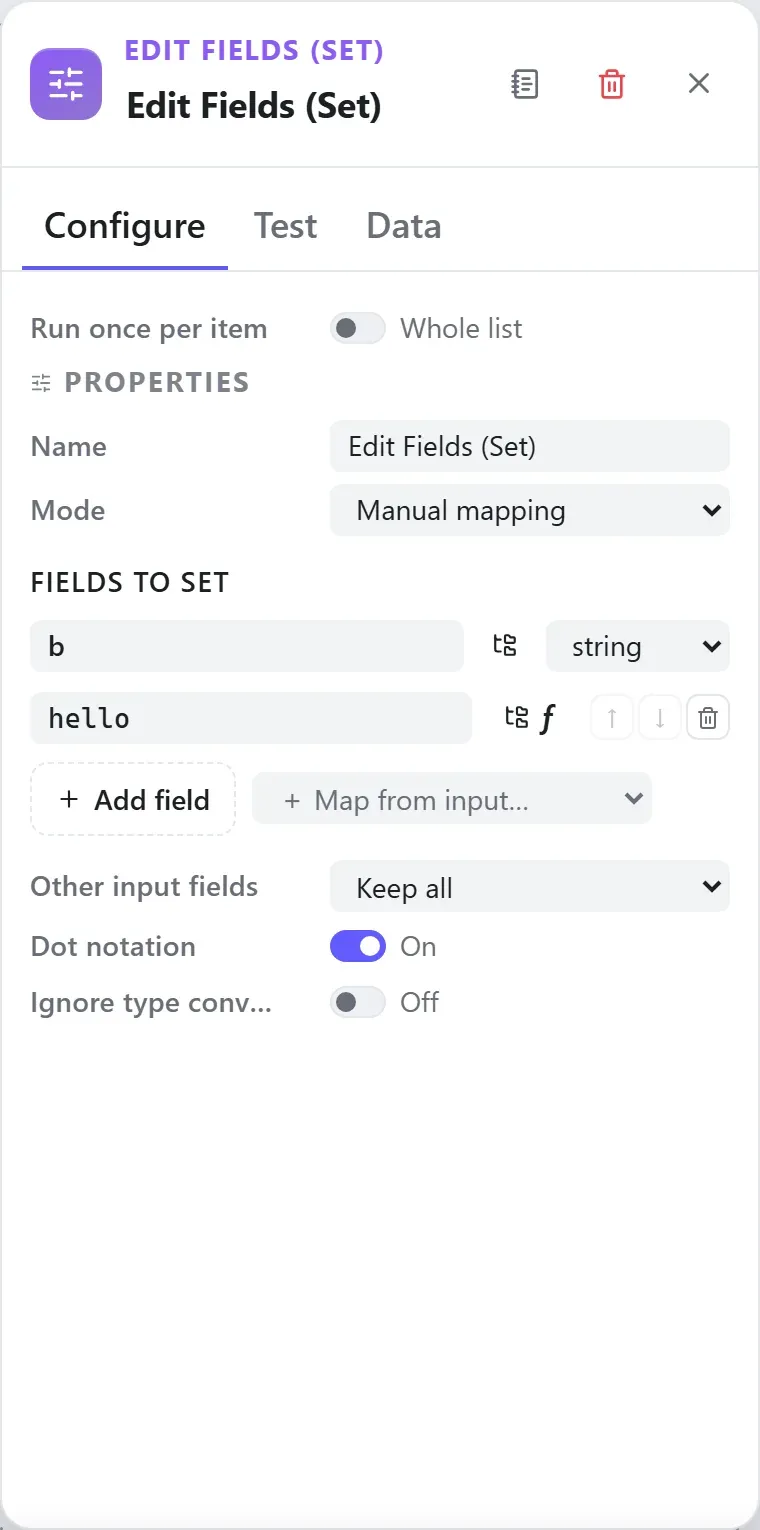
The node’s settings as the builder shows them — every field laid out with real values. In the Studio these are edited on the node: click the chevron on the divider under its ports to open them.
Ports
Ports are the node’s contract with its neighbours. In the editor a port label renders bold when wired and italic when optional; ◈ ports accept attachment carriers rather than data wires.
| Direction | Port | Label | What flows through it |
|---|---|---|---|
| Input | input | Input | |
| Output | output | Output |
How data flows through it
Edit Fields (Set) consumes the content of the incoming envelope — when it is fed directly by a trigger, the trigger’s wrapper is unwrapped at the node boundary so the node sees the actual data, not the metadata shell. Its output becomes the payload for the next node, while the envelope (trace ids, correlation, binary refs) rides along untouched. In the Runs view you always see the whole envelope for both sides of this node.
Expressions in the config
None of this node’s properties are string-typed, so {{ }} expressions
don’t apply here — JSON- and code-typed fields are always taken literally.
Build it with AI
Every node in this reference is reachable through Flowdrome’s
AI Copilot and the
MCP tools — say what you want, and the graph surgery
happens server-side. Node types resolve fuzzily, so the catalog label
(Edit Fields (Set)) works as well as the exact type id (processing.set).
In the Copilot panel (or any connected AI):
add a edit fields (set) node after the triggerAs a step in a create_chain_workflow call:
{"type":"Edit Fields (Set)","config":{}}Raw MCP call — add this node to a workflow with add_node
curl -s -X POST http://localhost:4800/mcp -H "content-type: application/json" -d '{ "jsonrpc": "2.0", "id": "1", "method": "tools/call", "params": { "name": "add_node", "arguments": { "workflowId": "<id>", "type": "Edit Fields (Set)" } } }'Example input & output
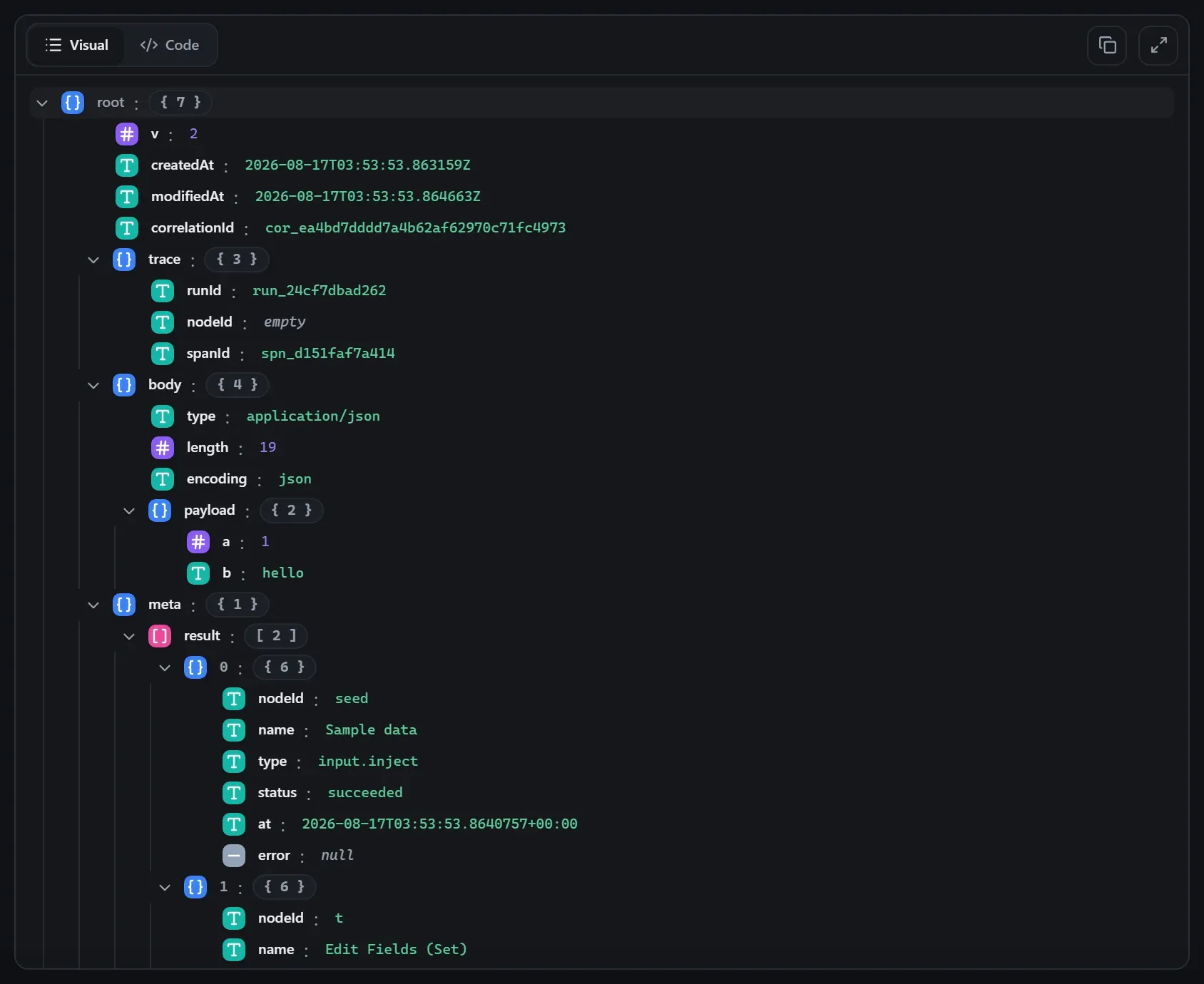
Captured from a real test run of the workflow above — this is what the Runs view shows after pressing Test workflow.
Input — what the node received
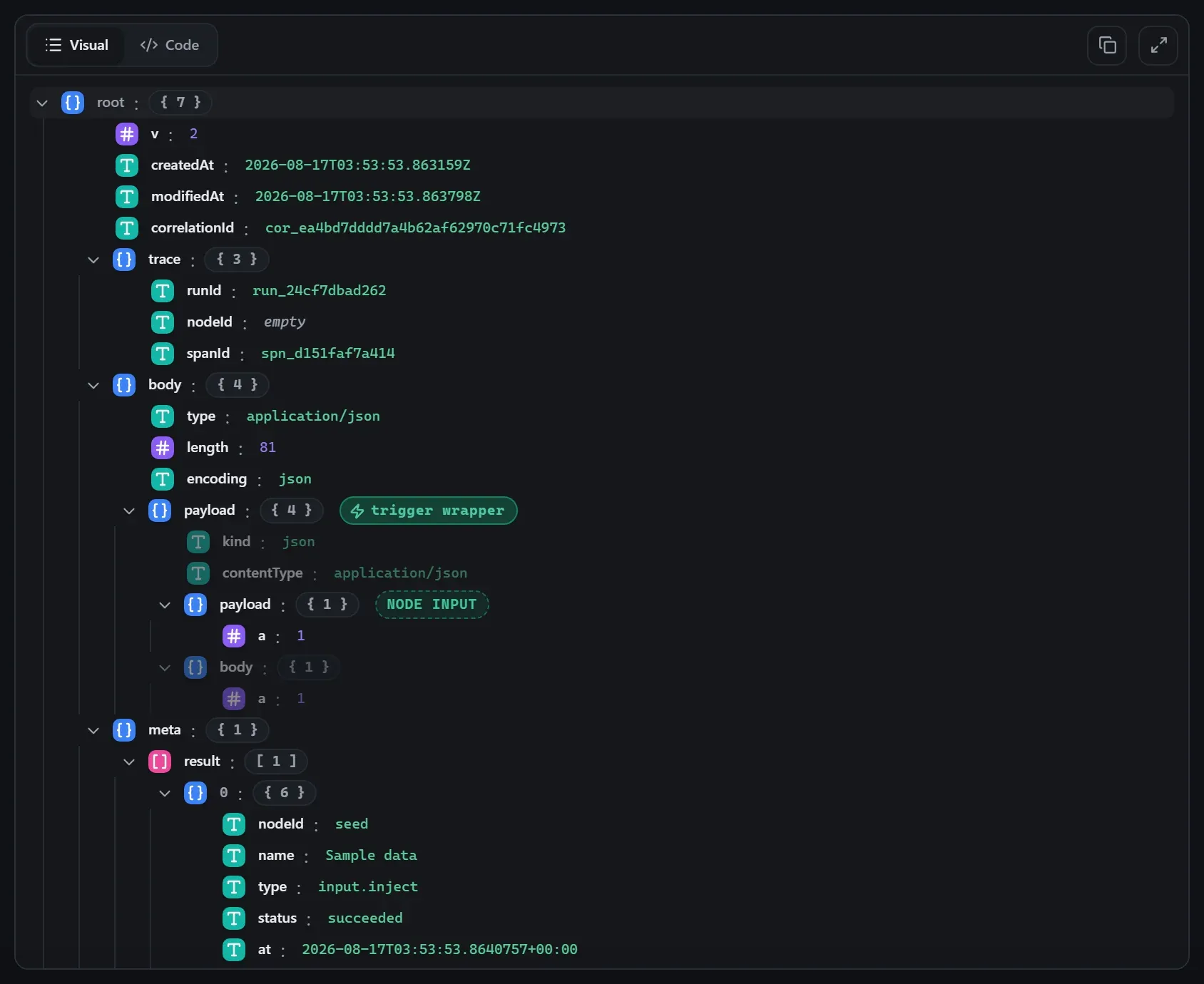
body.Output — what the node produced
Property reference
Every setting, with its type and default — the same fields shown configured above.
| Property | Type | Default | Description |
|---|---|---|---|
Modemode | select | "manual" | Manual mapping = define fields one by one. JSON = produce the whole output object from JSON / a {{ }} expression. jsonmanual |
Fields to setassignments | set-fields | [{"name":"","type":"string","value":""}] | Each field has a name (dot-notation builds nested objects), a type, and a value. The value can be a literal or a JS {{ }} expression like {{ $json.body.results[0].name.first }} or {{ $json.total * 2 }} — expressions can reach into JSON held in a string (e.g. an HTTP body). Shown when (mode ?? "manual") === "manual" |
JSON outputjson | json | {} | The output object. Values may be {{ }} expressions, e.g. { "name": "{{ $json.first }}" }. Shown when mode === "json" |
Other input fieldsinclude | select | "all" | Which fields from the input to keep alongside the ones you set. Set fields always override. allexceptnoneselected |
Fields to keepincludeFields | field | — | Comma-separated field names/paths to keep from the input (empty = keep none of the others). Shown when include === "selected" |
Fields to dropexcludeFields | field | — | Comma-separated field names/paths to remove from the input (empty = drop none). Shown when include === "except" |
Dot notationdotNotation | boolean | true | Interpret dots in a field name as a nested path (user.name → { user: { name } }). Off = use the whole name literally. |
Ignore type conversion errorsignoreConversionErrors | boolean | false | If a value can't be converted to its chosen type, keep the raw value instead of failing the node. |
Using it
Manual mapping with expressions
In manual mode the node’s settings show an assignments table — one row per field you
want to write. Each row has a name, a type, and a value, and the value takes {{ }} expressions:
| Name | Type | Value |
|---|---|---|
customer.name | string | {{ $json.body.results[0].name.first }} |
total | number | {{ $json.total * 2 }} |
processedAt | string | {{ $now }} |
Dot-notation names build nested objects (customer.name creates { customer: { name: … } }).
The Map from input button pre-fills rows from the last run’s data so you pick fields instead
of typing paths.
Include controls what happens to the other input fields: keep all, keep none (only
your set fields), keep selected, or keep all except listed ones.
JSON mode — emit the whole object
Switch Mode to json and type the output object into the JSON editor (expressions still work inside values):
{ "name": "{{ $json.first }} {{ $json.last }}", "source": "flowdrome" }Tips
- Expressions descend into JSON-in-a-string.
{{ $json.body.results[0].name }}works even whenbodyis a JSON string (an HTTP response) — the expression engine parses it on the way in. - Per-item by nature: over a list input, assignments apply to each item.
- Ignore conversion errors keeps the raw value instead of failing when, say,
"abc"won’t become anumber. - Set is the n8n Edit Fields (Set) equivalent at full parity — if you’re arriving from n8n, your habits transfer.
Related nodes
The rest of the Processing group — the same folder you’d scan in the editor’s library.
This page is generated from the node registry by gen-node-docs.mjs on every
site build — ports, properties, defaults and visibility rules cannot drift from the code.
The screenshots and example data are captured from a live Flowdrome by
npm run shots:nodes and npm run gen:examples.
The hand-authored notes above are merged in.