Receive Message
input.receive-message Input v0.1.0 Normalizes inbound Gmail, Slack, Telegram, Discord, or generic webhook payloads. Unwraps the { contentType, payload, … } content wrapper first, so the message/sender/channel paths are read from the body itself — the same bare body a deployed host hands this node. Without that every configured path missed, and the node routed to Ignored while the run still reported success. The verify token and the header-level auth are still checked against the raw input, where the request headers live.
Finding it in the library
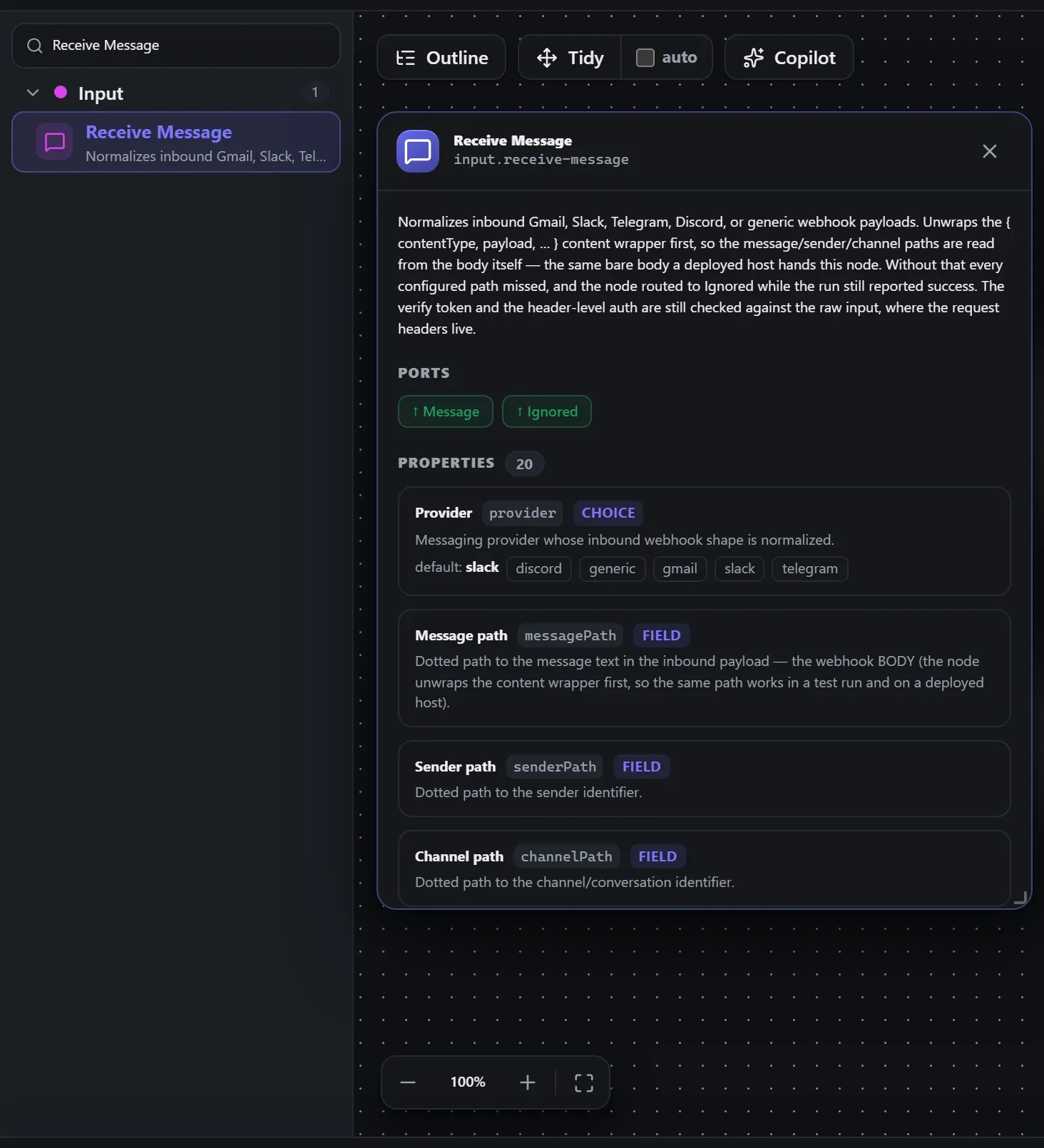
Search the builder's node library for Receive Message (it lives under Input). A single click opens the in-editor docs panel shown here — description, ports, and every property, without leaving the canvas. Double-click (or drag) to add it to the workflow.
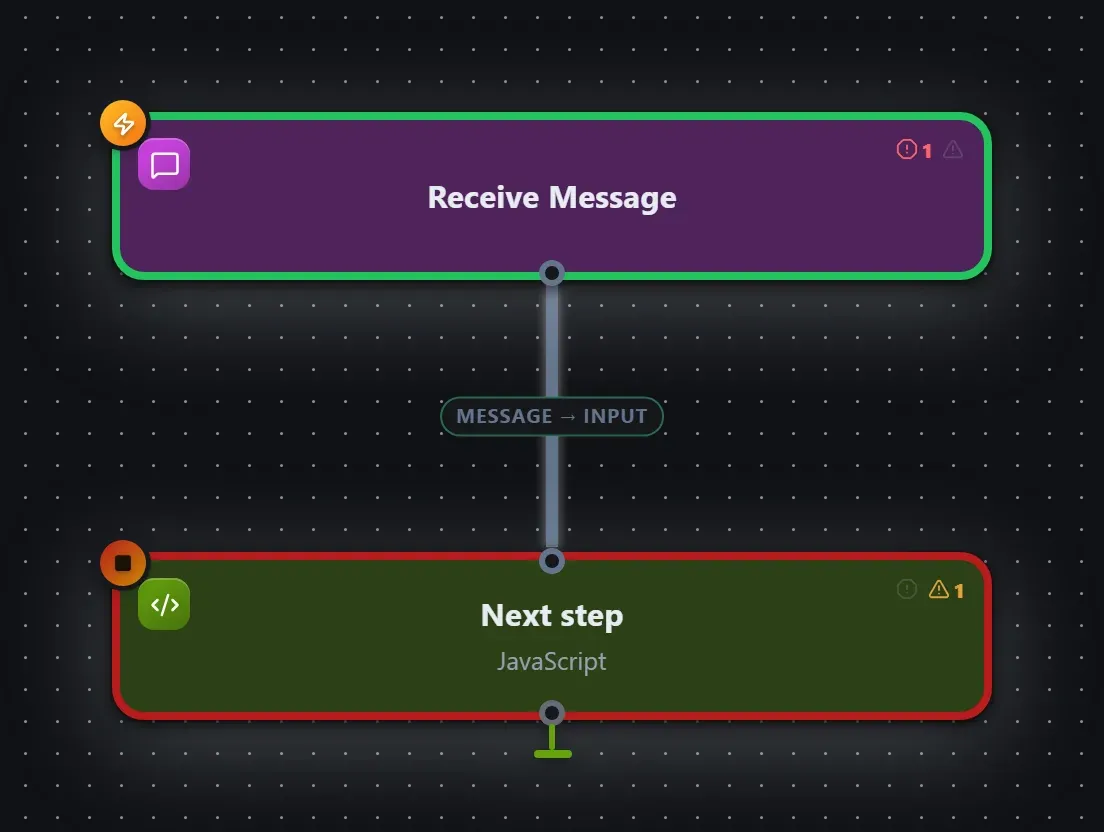
Wired up in the builder
Receive Message in a real, runnable flow — captured live from the Studio editor, exactly as it looks on your canvas. This is the same workflow used for the example input & output below.
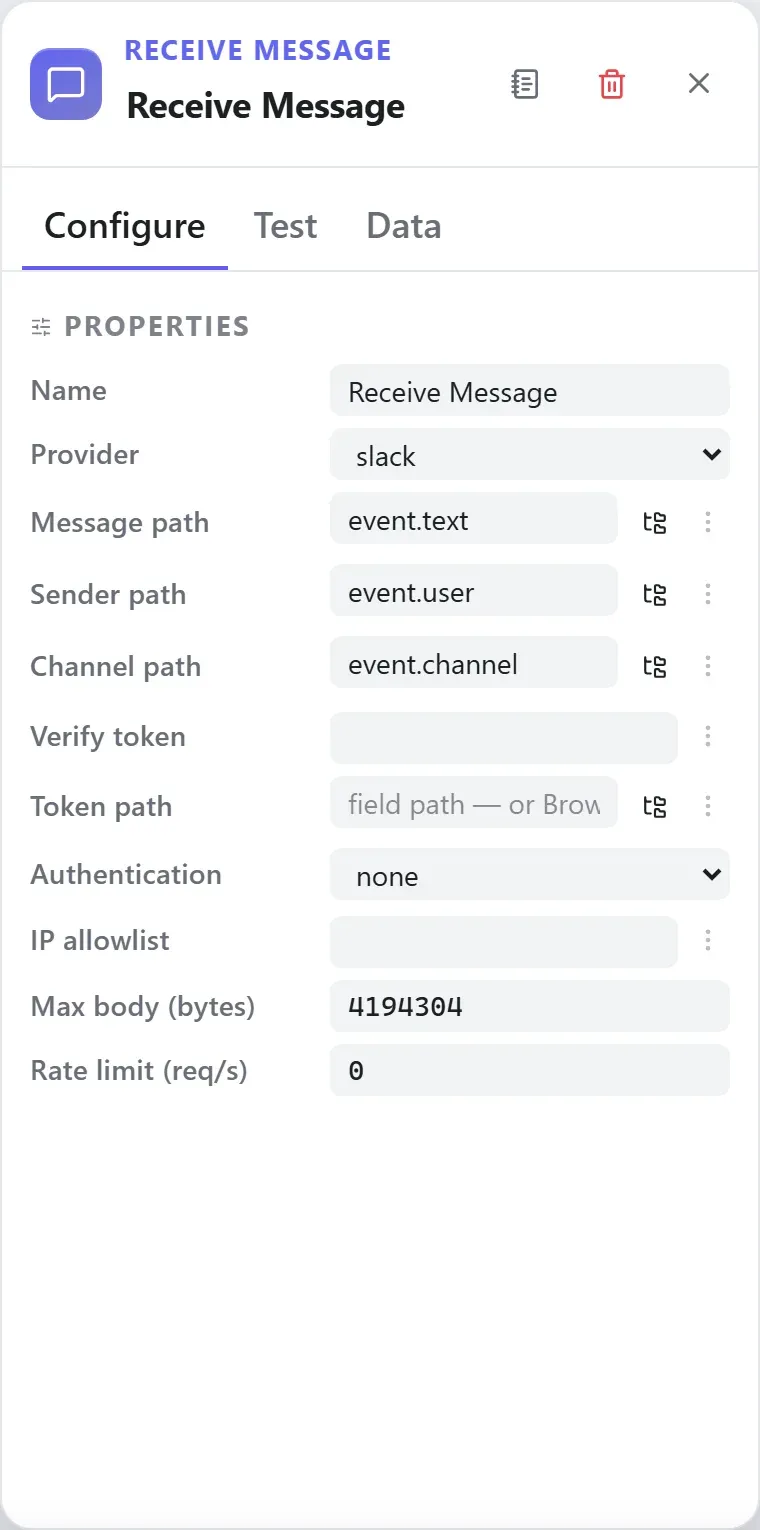
How it’s configured
The node’s settings as the builder shows them — every field laid out with real values. In the Studio these are edited on the node: click the chevron on the divider under its ports to open them.
Ports
This is a trigger — it starts runs and takes no input wire.
Ports are the node’s contract with its neighbours. In the editor a port label renders bold when wired and italic when optional; ◈ ports accept attachment carriers rather than data wires.
| Direction | Port | Label | What flows through it |
|---|---|---|---|
| Output | message | Message | |
| Output | ignored | Ignored |
How data flows through it
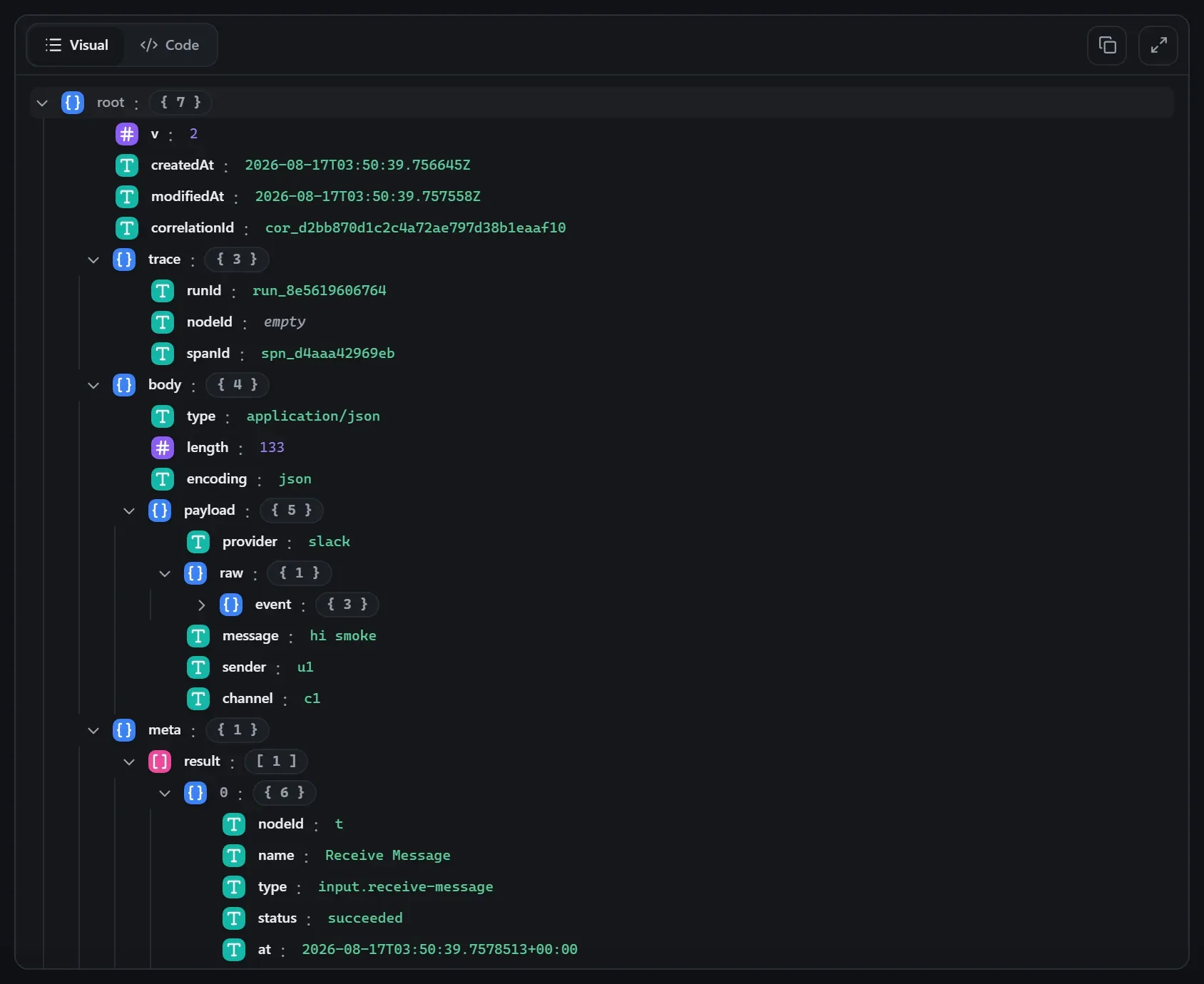
As a trigger, Receive Message starts runs — it takes no input wire. What it emits is
the request wrapper: the event’s body becomes the payload, and the wrapper
carries the event metadata around it (for an HTTP-style trigger that’s
headers.*, request.method, request.path and
query). Downstream nodes consume the content — the wrapper is unwrapped
at each node boundary, and expression roots like {{ headers.x }} still
resolve against the wrapper when you need the metadata. See
Runs & run data for the envelope model.
Expressions in the config
String-typed properties accept {{ }} expressions evaluated against the
incoming item at run time — e.g. {{ $json.customer.email }}. On this node
that’s verifyToken, authUser, authPassword, authHeaderName, authHeaderValue, authToken, jwtSecret, jwtPublicKey, ipAllowlist. JSON- and code-typed fields never interpolate — they are passed through literally.
Build it with AI
Every node in this reference is reachable through Flowdrome’s
AI Copilot and the
MCP tools — say what you want, and the graph surgery
happens server-side. Node types resolve fuzzily, so the catalog label
(Receive Message) works as well as the exact type id (input.receive-message).
In the Copilot panel (or any connected AI):
create a workflow that starts with receive message and logs the resultAs a step in a create_chain_workflow call:
{"type":"Receive Message","config":{}}Raw MCP call — add this node to a workflow with add_node
curl -s -X POST http://localhost:4800/mcp -H "content-type: application/json" -d '{ "jsonrpc": "2.0", "id": "1", "method": "tools/call", "params": { "name": "add_node", "arguments": { "workflowId": "<id>", "type": "Receive Message" } } }'Example input & output
Captured from a real test run of the workflow above — this is what the Runs view shows after pressing Test workflow.
On this run the node emitted on port message.
Input — what the node received
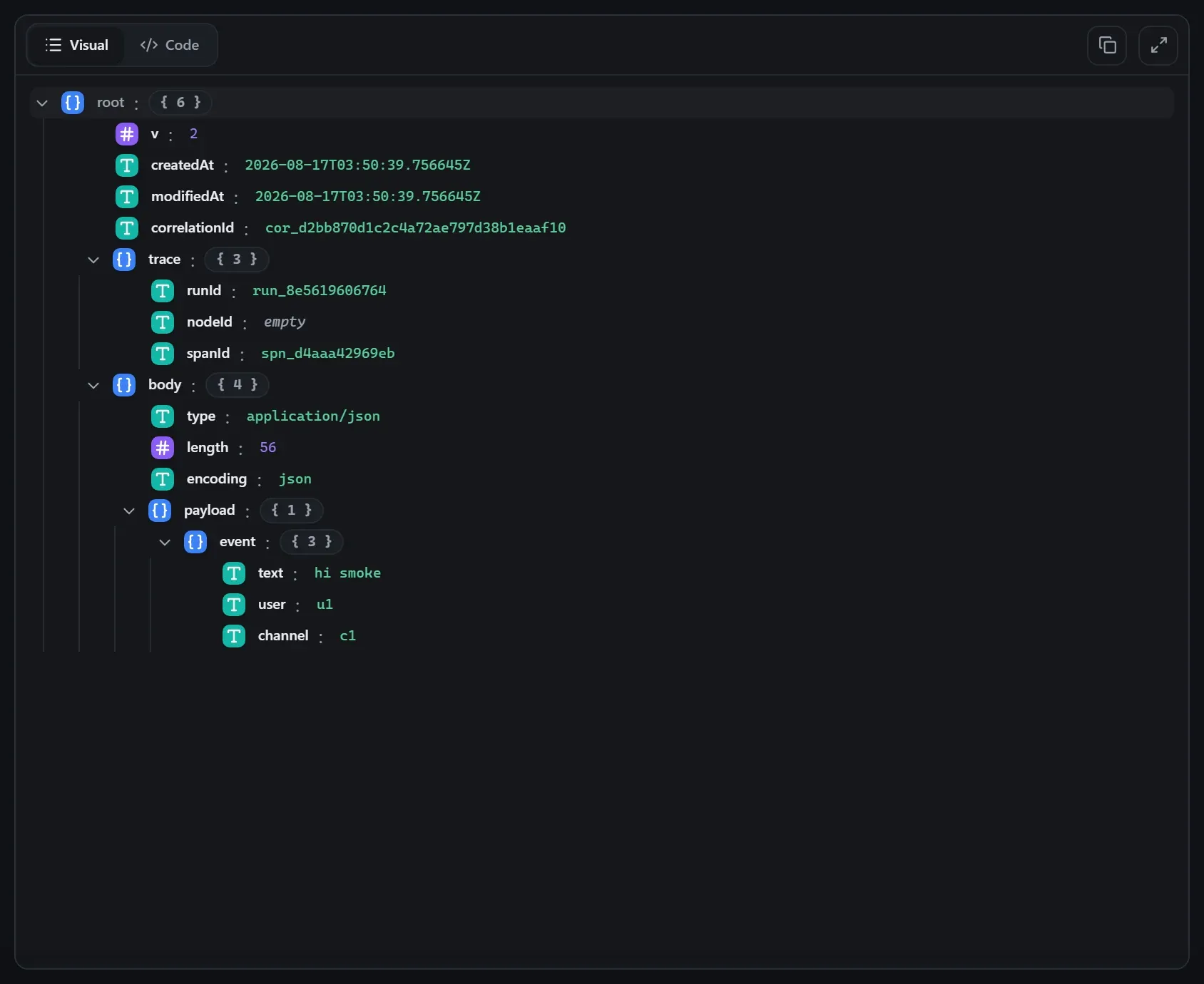
body.Output — what the node produced
Property reference
Every setting, with its type and default — the same fields shown configured above.
| Property | Type | Default | Description |
|---|---|---|---|
Providerprovider | select | "slack" | Messaging provider whose inbound webhook shape is normalized. discordgenericgmailslacktelegram |
Message pathmessagePath | field | — | Dotted path to the message text in the inbound payload — the webhook BODY (the node unwraps the content wrapper first, so the same path works in a test run and on a deployed host). |
Sender pathsenderPath | field | — | Dotted path to the sender identifier. |
Channel pathchannelPath | field | — | Dotted path to the channel/conversation identifier. |
Verify tokenverifyToken | string | — | Optional shared token to verify inbound requests (compared against a value INSIDE the payload — see Token path). For header-based auth use Authentication below. |
Token pathtokenPath | field | — | Dotted path to a token in the payload to compare against the verify token. |
AuthenticationauthType | select | "none" | Require credentials on incoming requests: Basic (user/password), Header (exact header match), Bearer (Authorization: Bearer <token>), or JWT (signature-verified token; claims are attached to the output as jwtPayload). Checked before rate limits — rejected requests never reach the workflow. basicbearerheaderjwtnone |
CredentialcredentialId | credential | "" | Use a stored credential for this connection — its fields are filled in at run start. Pick "None" to enter the connection details manually. accepts credential templates: http-basichttp-headerhttp-bearerjwtShown when String(authType ?? "none") !== "none" |
UserauthUser | string | — | Expected Basic-auth user name. Shown when String(authType ?? "none") === t |
PasswordauthPassword | string | — | Expected Basic-auth password. Shown when String(authType ?? "none") === t |
Header nameauthHeaderName | string | — | Name of the header that must carry the shared value, e.g. x-api-key (case-insensitive). Shown when String(authType ?? "none") === t |
Header valueauthHeaderValue | string | — | Exact value the header must carry. Shown when String(authType ?? "none") === t |
TokenauthToken | string | — | Expected bearer token — requests must send Authorization: Bearer <token>. Shown when String(authType ?? "none") === t |
JWT algorithmjwtAlgorithm | select | "HS256" | The ONE signing algorithm accepted (HS* = shared secret, RS/ES/PS* = public key). ES256ES384ES512HS256HS384HS512PS256PS384PS512RS256RS384RS512 Shown when String(authType ?? "none") === t |
JWT secretjwtSecret | string | — | Shared secret for HS256/HS384/HS512 verification. Shown when on("jwt")(c) && String(jwtAlgorithm ?? "HS256").startsWith("HS") |
JWT public key (PEM)jwtPublicKey | string | — | PEM public key for RS/ES/PS verification. Shown when on("jwt")(c) && !String(jwtAlgorithm ?? "HS256").startsWith("HS") |
IP allowlistipAllowlist | string | "" | Comma-separated client IPs or CIDR ranges allowed to call this trigger. Empty = allow all. Rejections are 403 before anything else runs. |
Max body (bytes)maxBodyBytes | int | 4194304 | Largest request body this trigger accepts — bigger requests are rejected with 413 before the workflow runs. 0 = unlimited at the trigger (the app-wide FLOWDROME_MAX_BODY_BYTES ceiling, default 32 MB, still applies). |
Rate limit (req/s)rateLimitRps | double | 0 | Per-client-IP sustained request rate for this trigger. 0 = no rate limit (the default). For internet-exposed apps, prefer rate limiting at a fronting reverse proxy (docs/ingress-guards-design.md). |
Rate limit burstrateLimitBurst | int | 0 | How many requests a client may send back-to-back before the per-second rate applies. 0 = automatic (2× the rate). Shown when (showIf === undefined || showIf(c)) && Number(rateLimitRps ?? 0) > 0 |
Related nodes
The rest of the Input group — the same folder you’d scan in the editor’s library.
This page is generated from the node registry by gen-node-docs.mjs on every
site build — ports, properties, defaults and visibility rules cannot drift from the code.
The screenshots and example data are captured from a live Flowdrome by
npm run shots:nodes and npm run gen:examples.